
Security guard scheduling software for New Brunswick
Security guard scheduling software for New Brunswick agencies: you build the week and publish it, guards confirm it on their phone, and punched hours go straight to timesheets, payroll and invoices.
20-day free trial, with 24/7 support.
A schedule every guard has actually seen
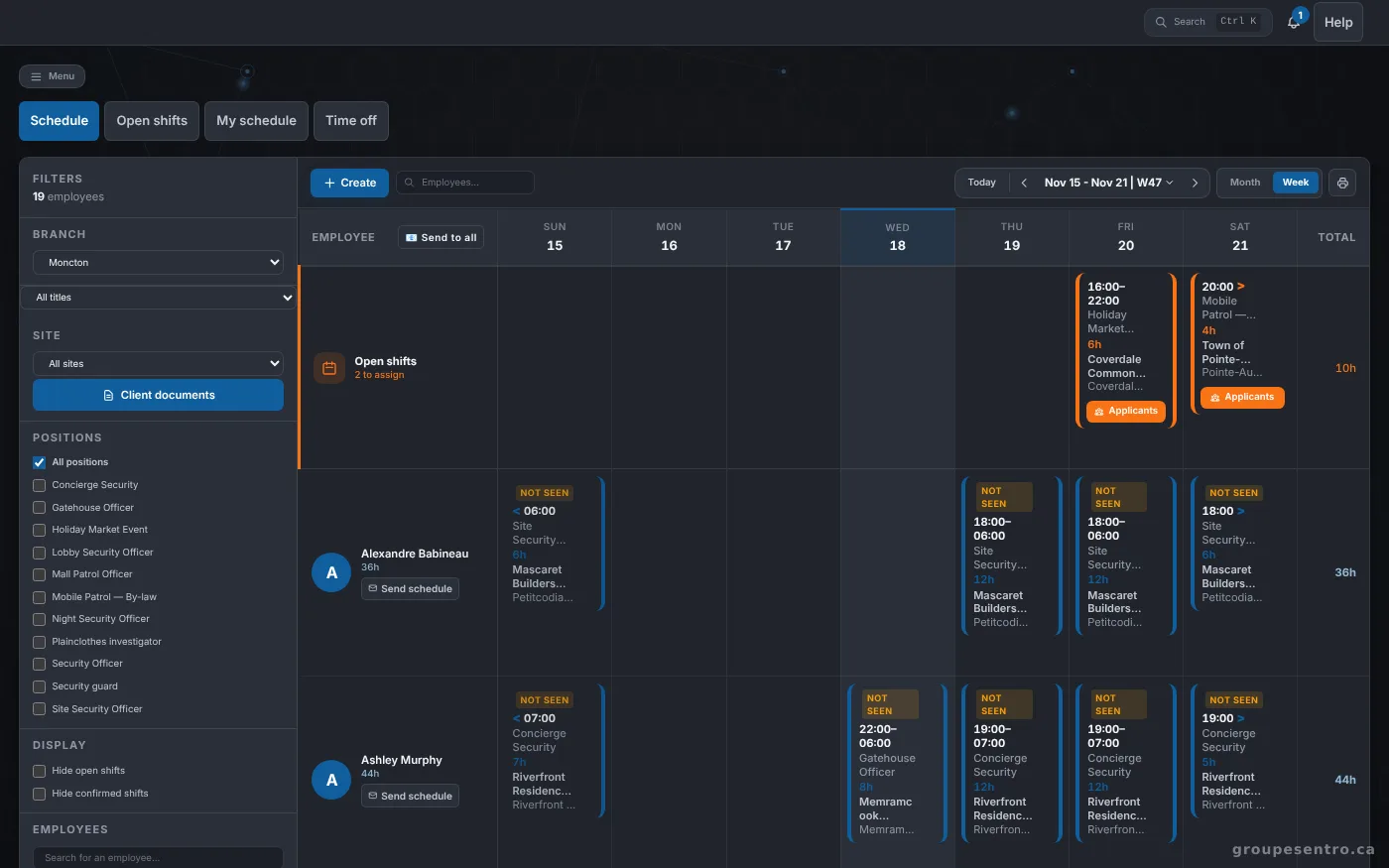
A security agency sells hours on site, so the schedule is the start of everything: who is posted where, on which night. A spreadsheet sent by email does not tell you who read it, and a change made on Thursday does not always reach the guard. With Sentro, the schedule is published from the portal, each guard receives it and confirms it, and the office sees who has not.
Build the week, one row per guard
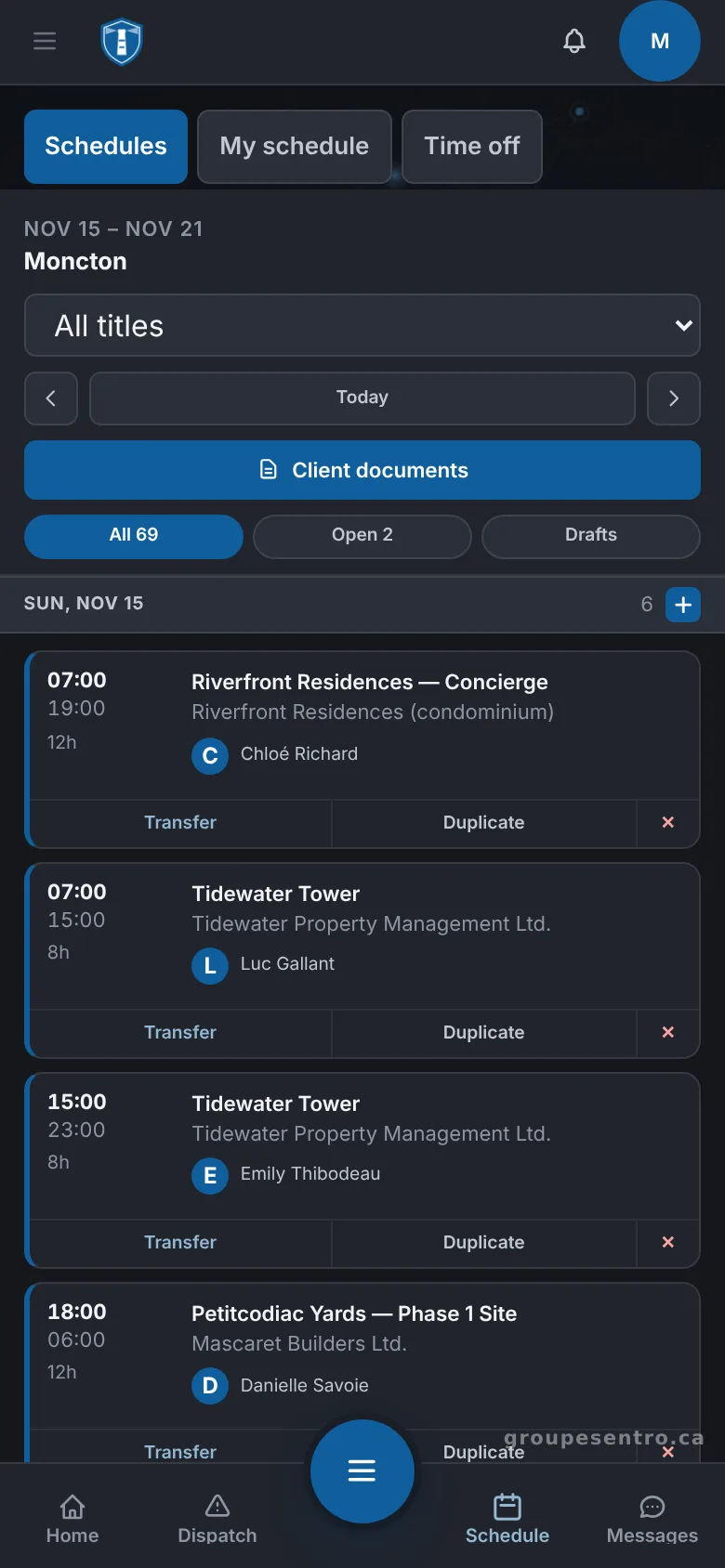
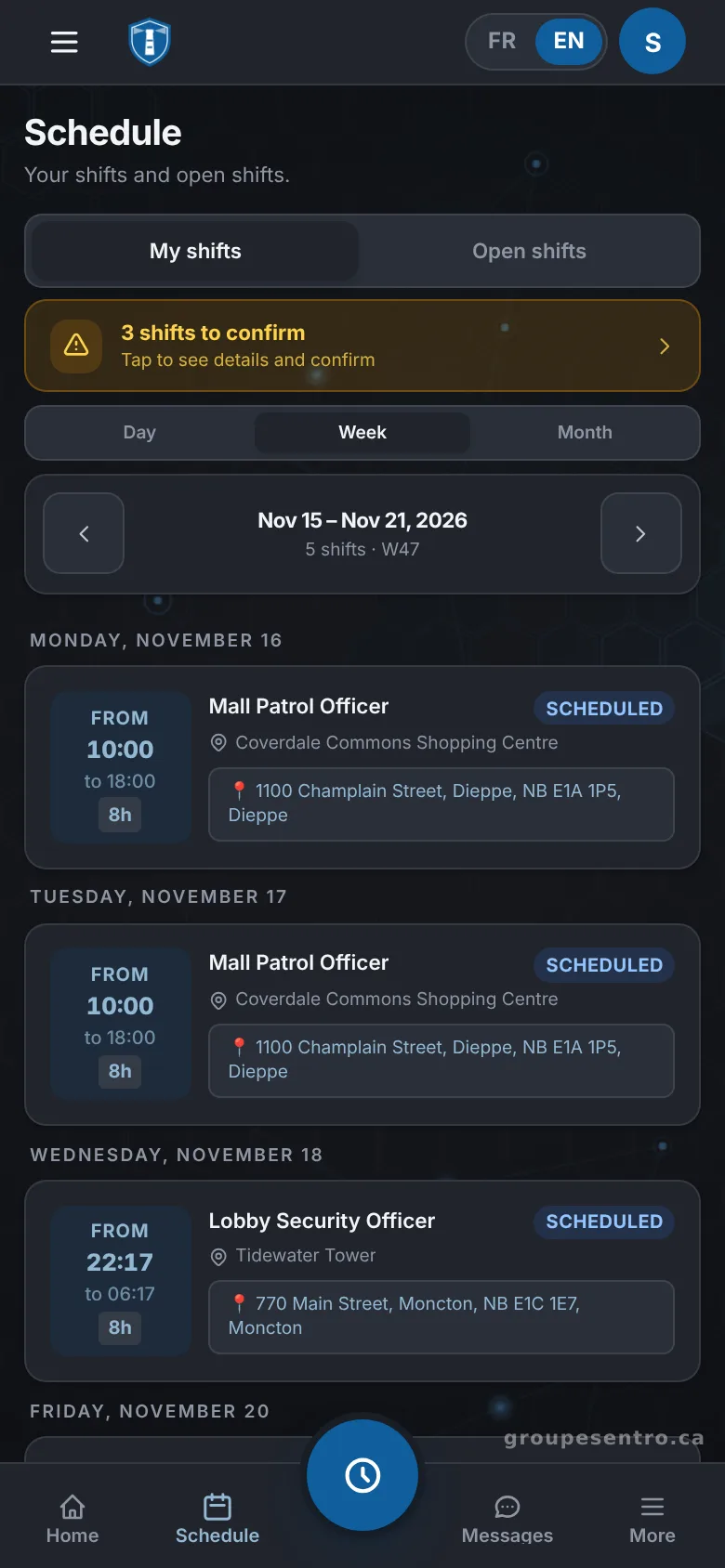
You build the week one row per guard and one column per day. When the week is ready, you publish it. Each guard gets the schedule by email and confirms it, and guards see their own shifts for the week on their phone.
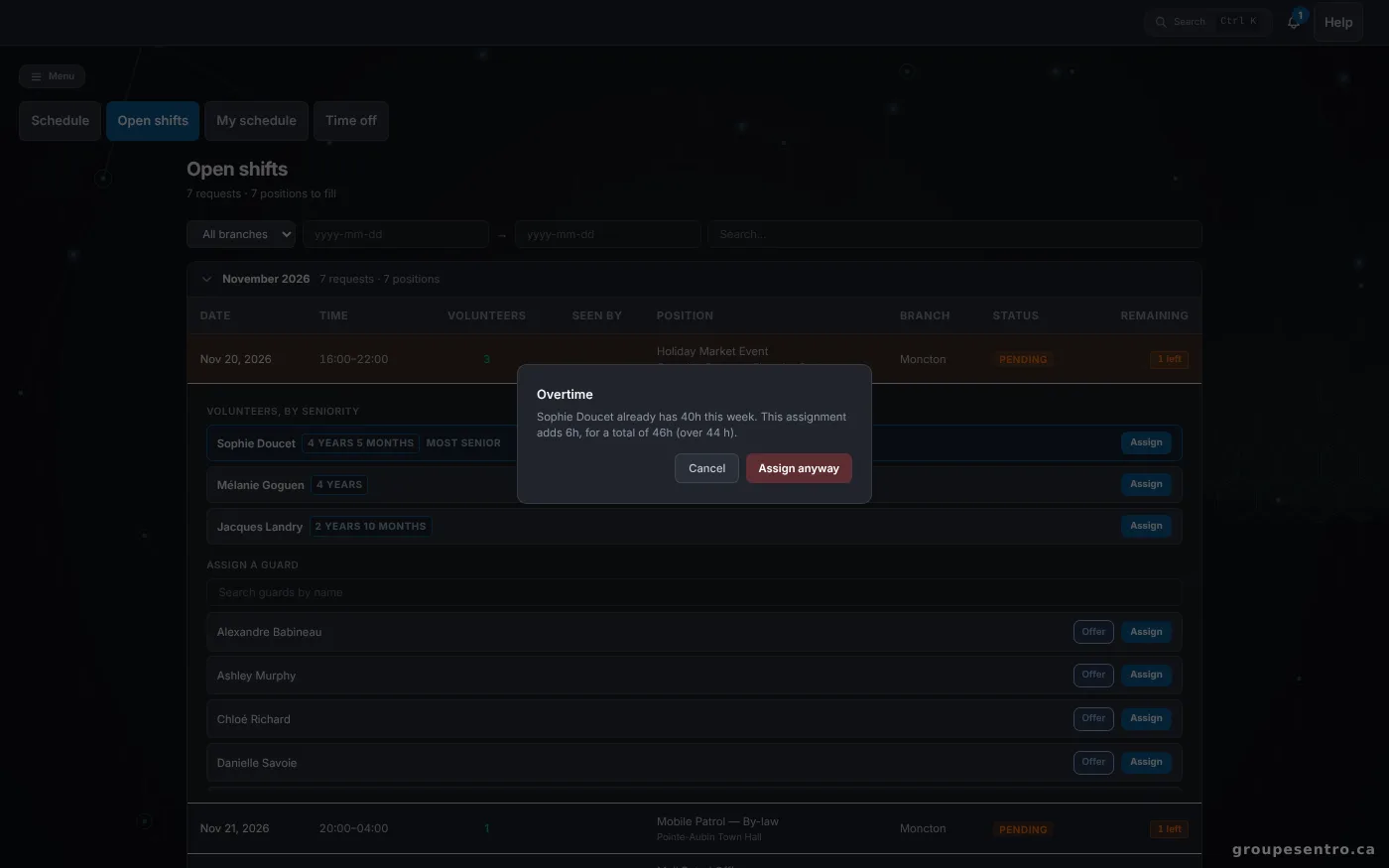
A shift being created. The overtime warning appears before it is assigned.
Fill an open shift without phoning around
When a shift has no guard, you offer it to the team instead of calling people one by one. Guards volunteer from their phone, and you choose among the volunteers, ranked by seniority and distance from the site. The shift is filled by someone who asked for it and who can get there.
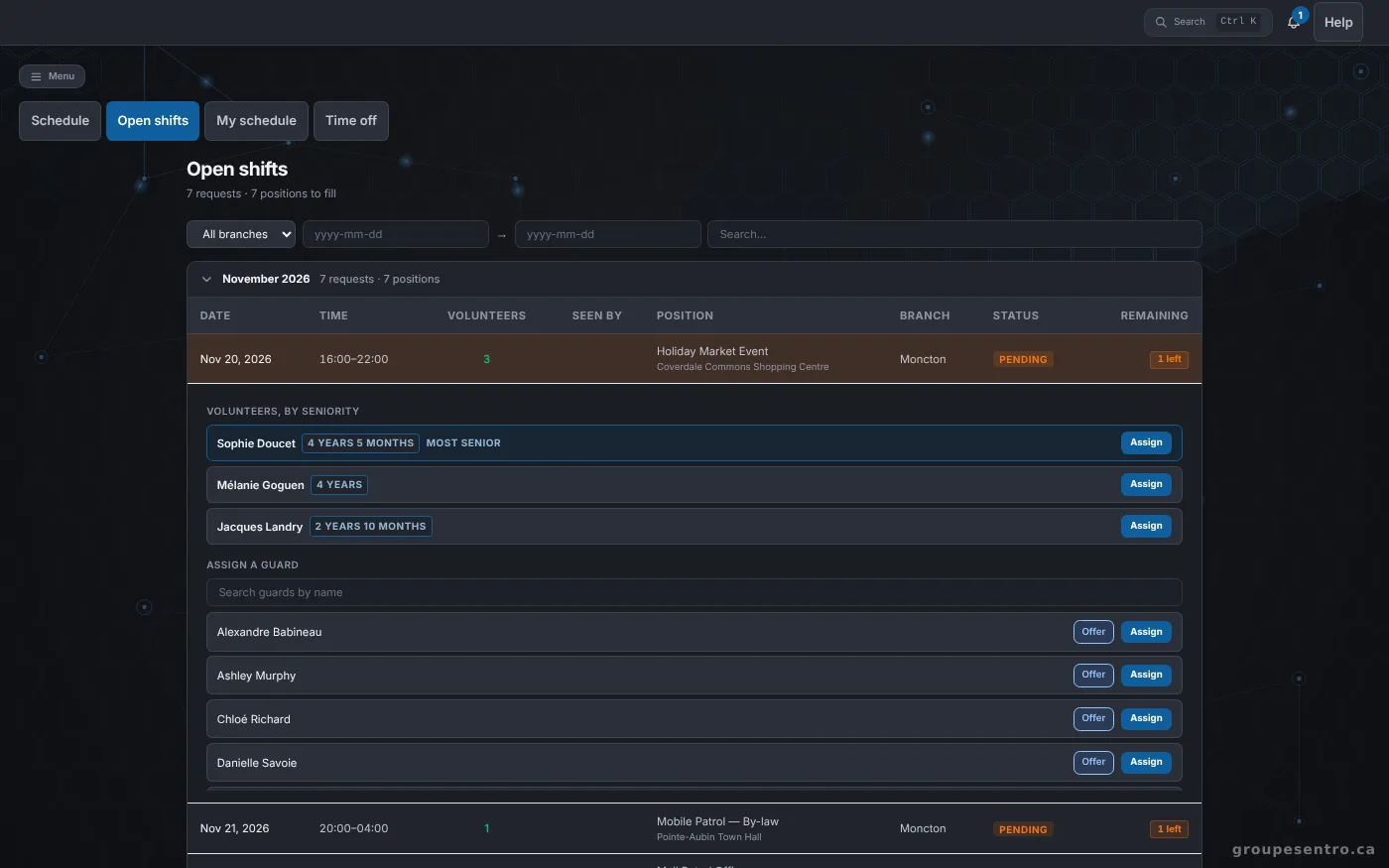
Open shifts and the guards who volunteered.
The week’s shifts on the guard’s phone.
What needs a decision today
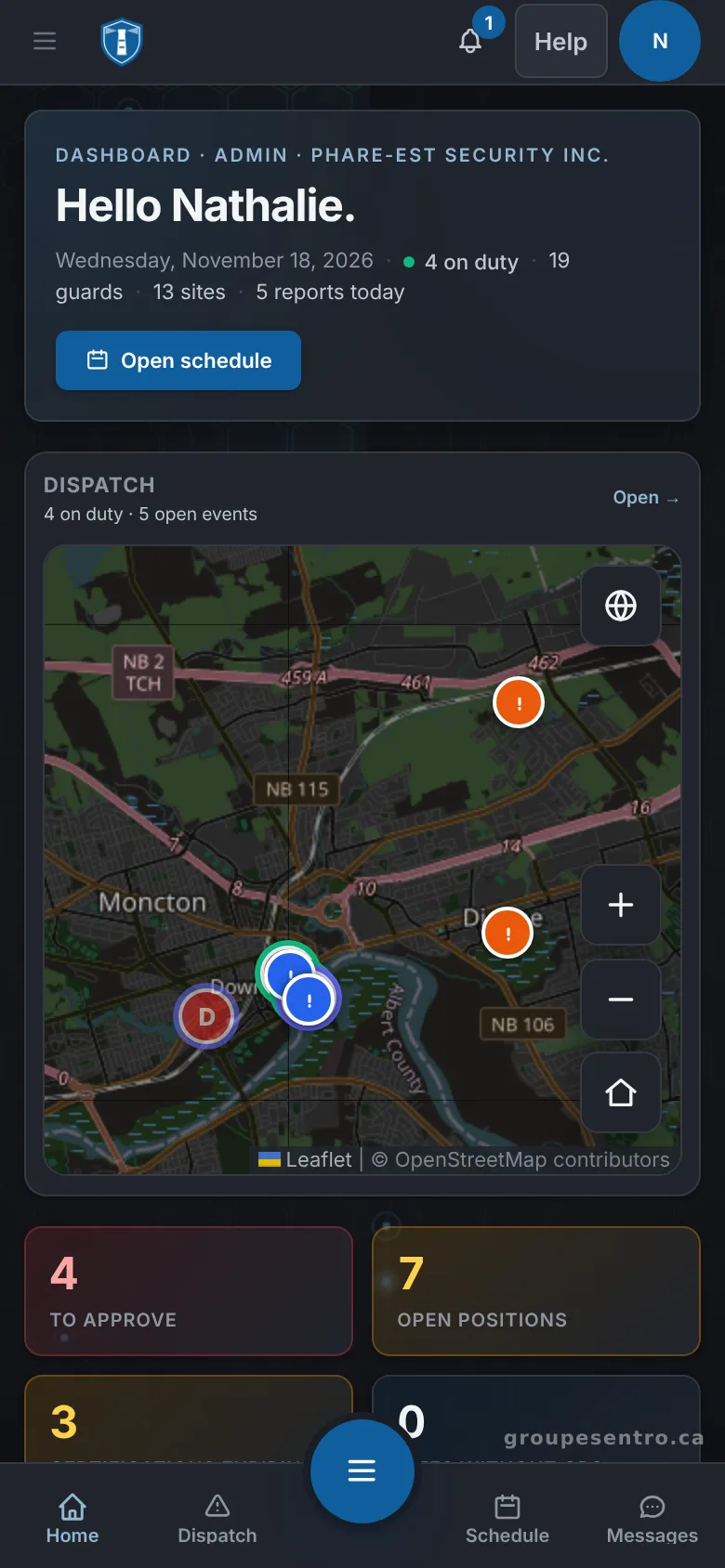
The portal opens on what needs a decision today: reports to approve, shifts to fill and licences about to expire. An open shift is on that list as soon as it exists, so it is dealt with before the night it covers.
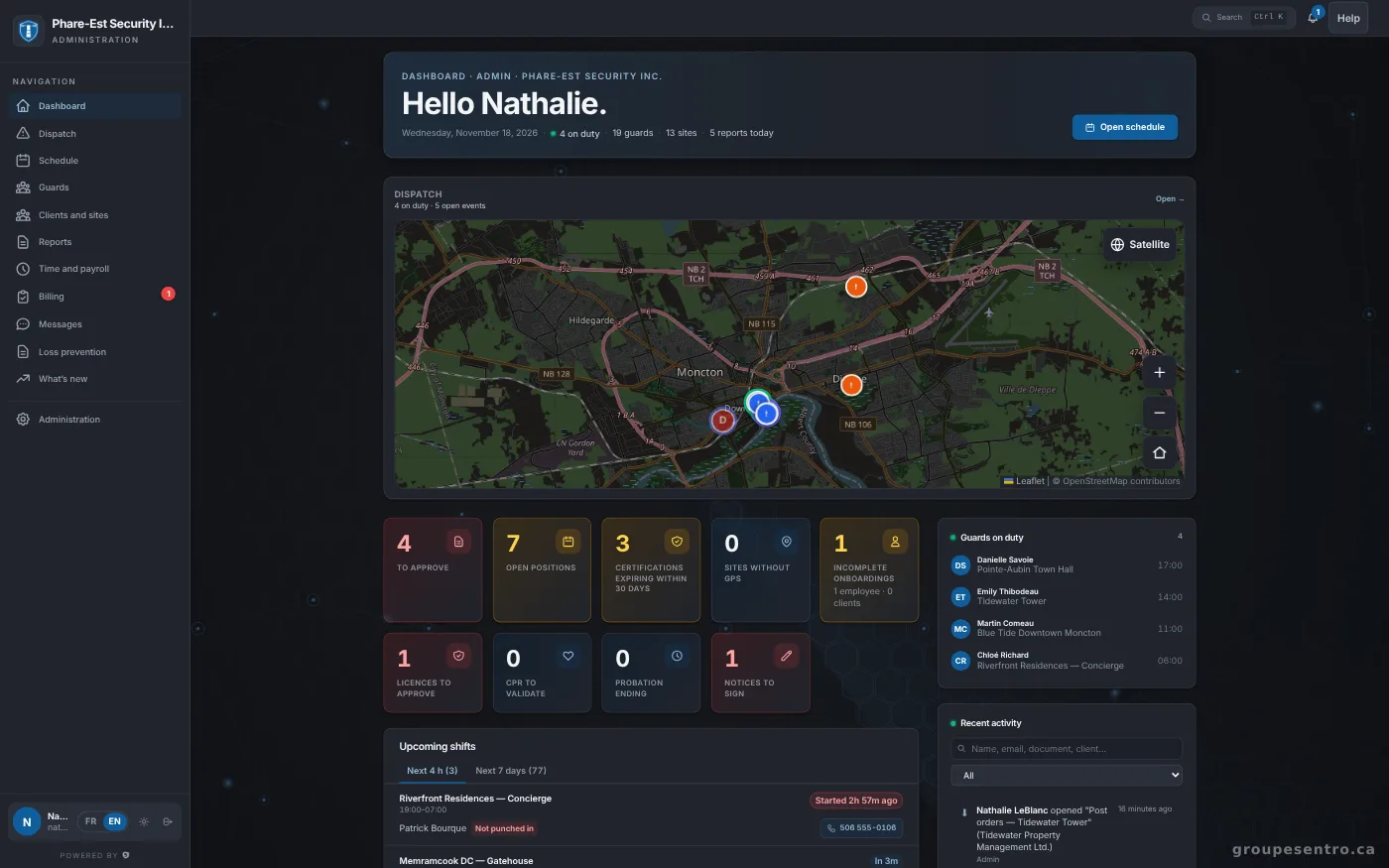
The administration dashboard.
The same dashboard on a phone.
From the schedule to the GPS punch
The schedule is only half of it: the guard also has to be there. On the day of the shift, the guard punches in from their phone, and the GPS punch confirms they are on site. The office sees who is in the field without having to call.
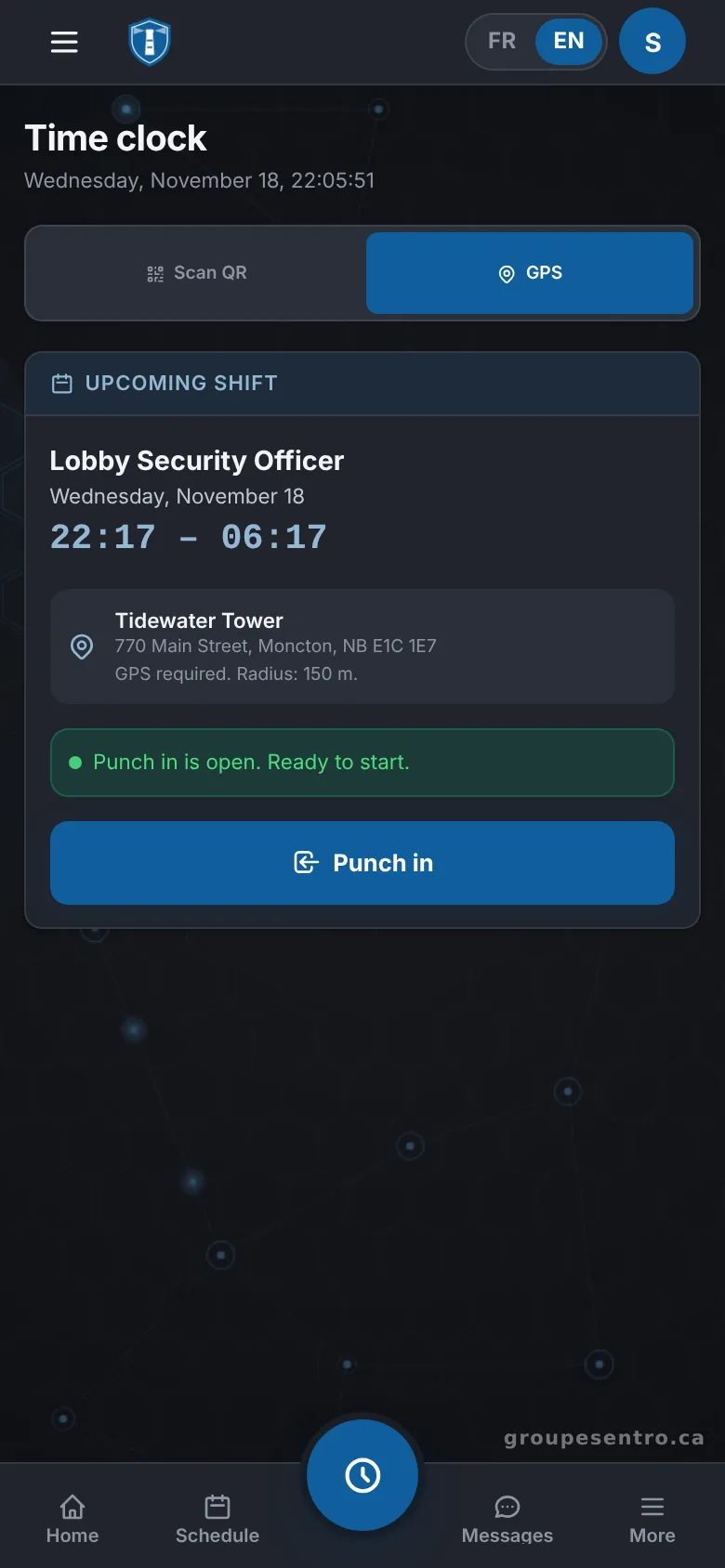
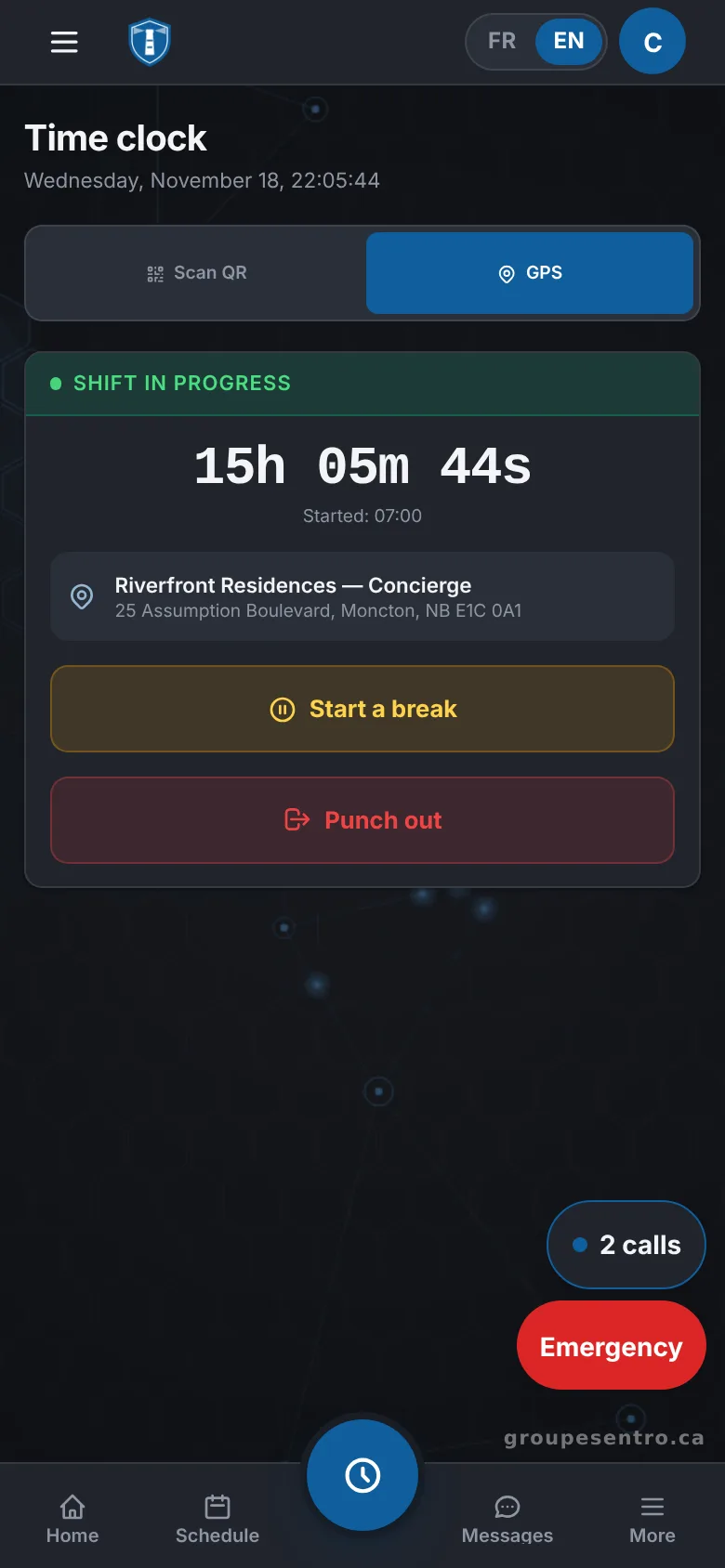
Punching in by GPS, within the site radius.
A shift in progress, with the time elapsed and the break button.
Scheduled, punched, paid and invoiced
Punched shifts fill in the timesheet. You approve it, and the employee signs it or disputes it with a reason. Overtime starts after 44 hours a week and New Brunswick’s 8 public holidays are in the calendar. Each pay has its CPP, EI, federal and New Brunswick income tax, checked against the CRA payroll calculator, with WorkSafeNB at your agency’s rate. Invoices come straight from the hours worked, with 15% HST.
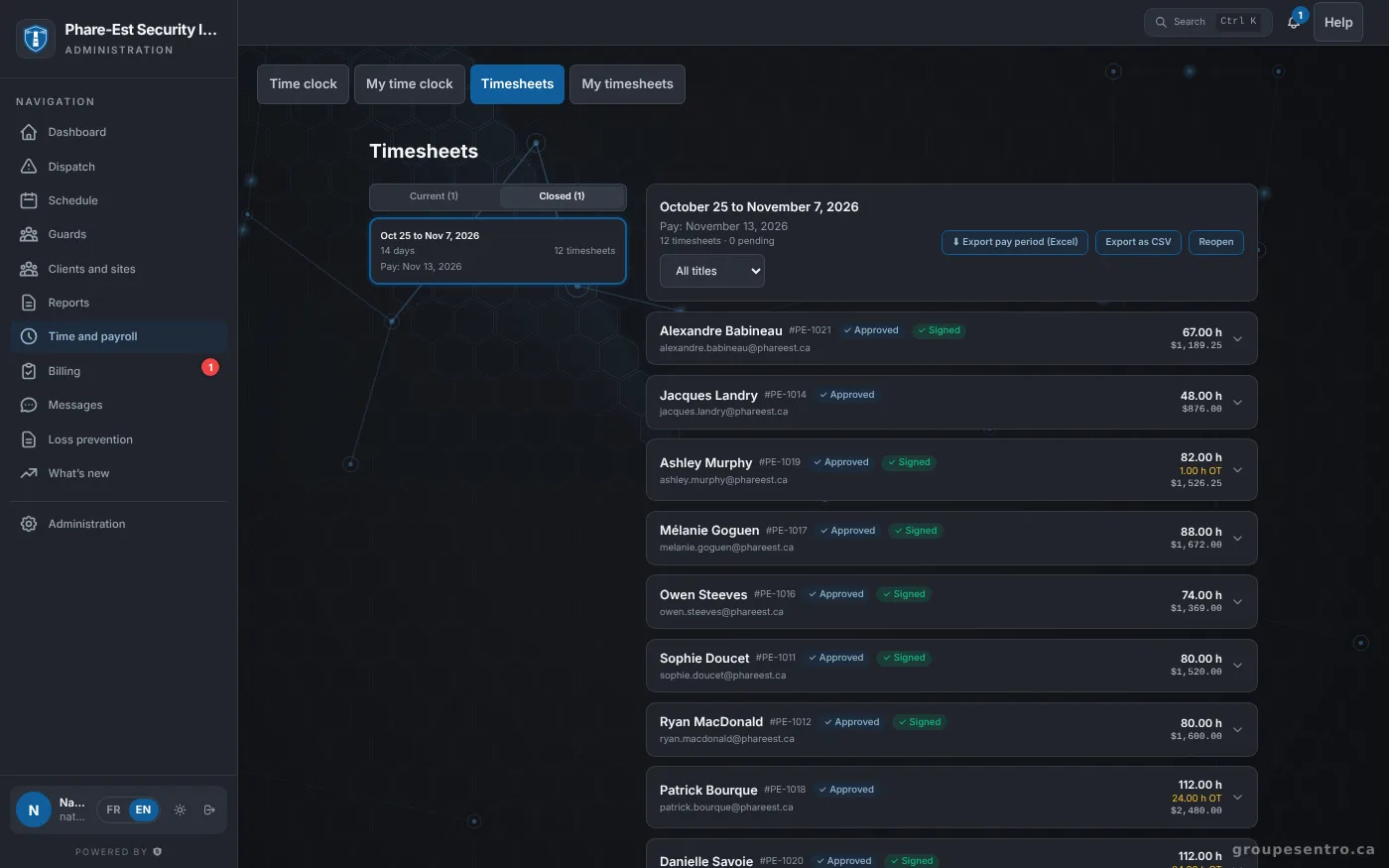
The period’s timesheets.
Time off and licences
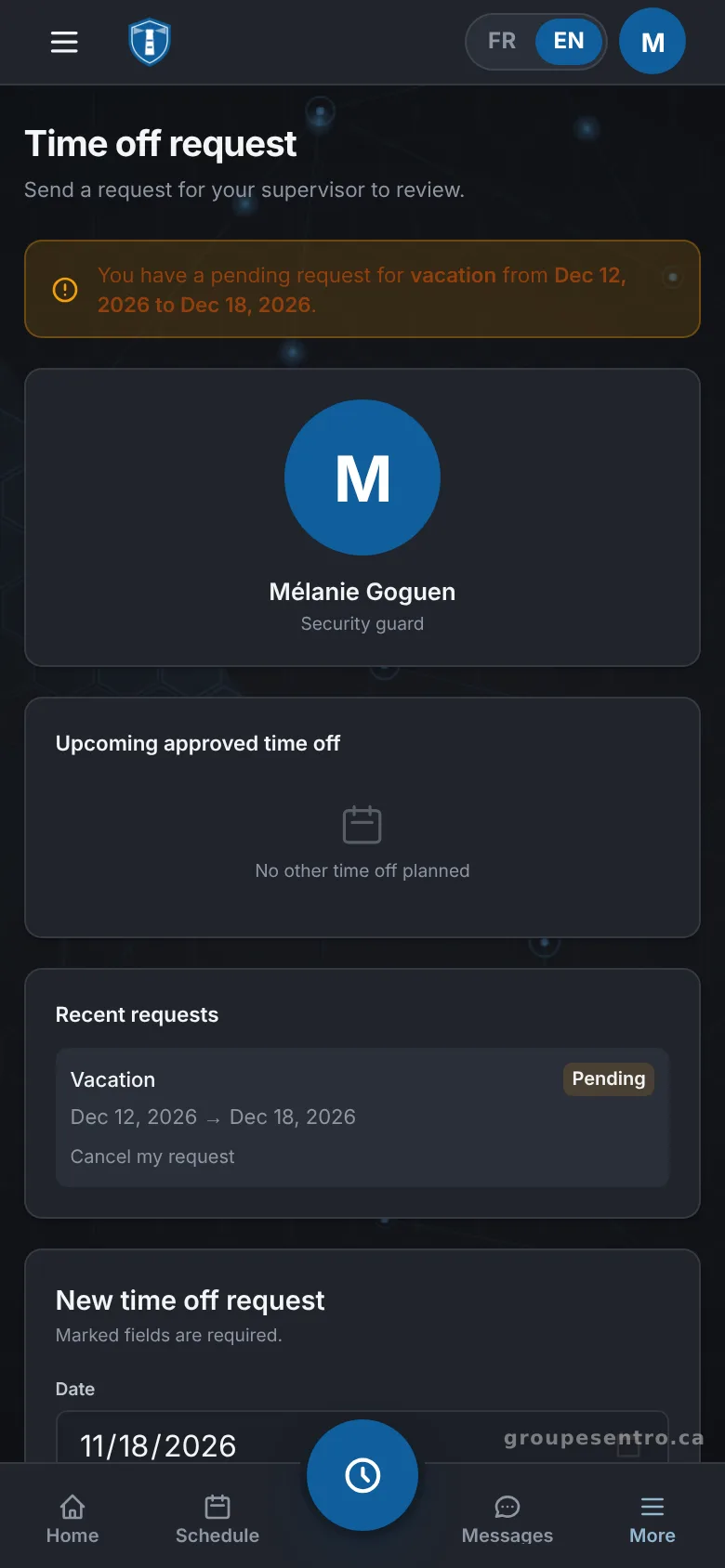
From their phone, employees request time off. Each guard’s licence and its expiry date are in their file, and those expiring within 30 days have their own list. You know about an expiring licence before you schedule the guard.
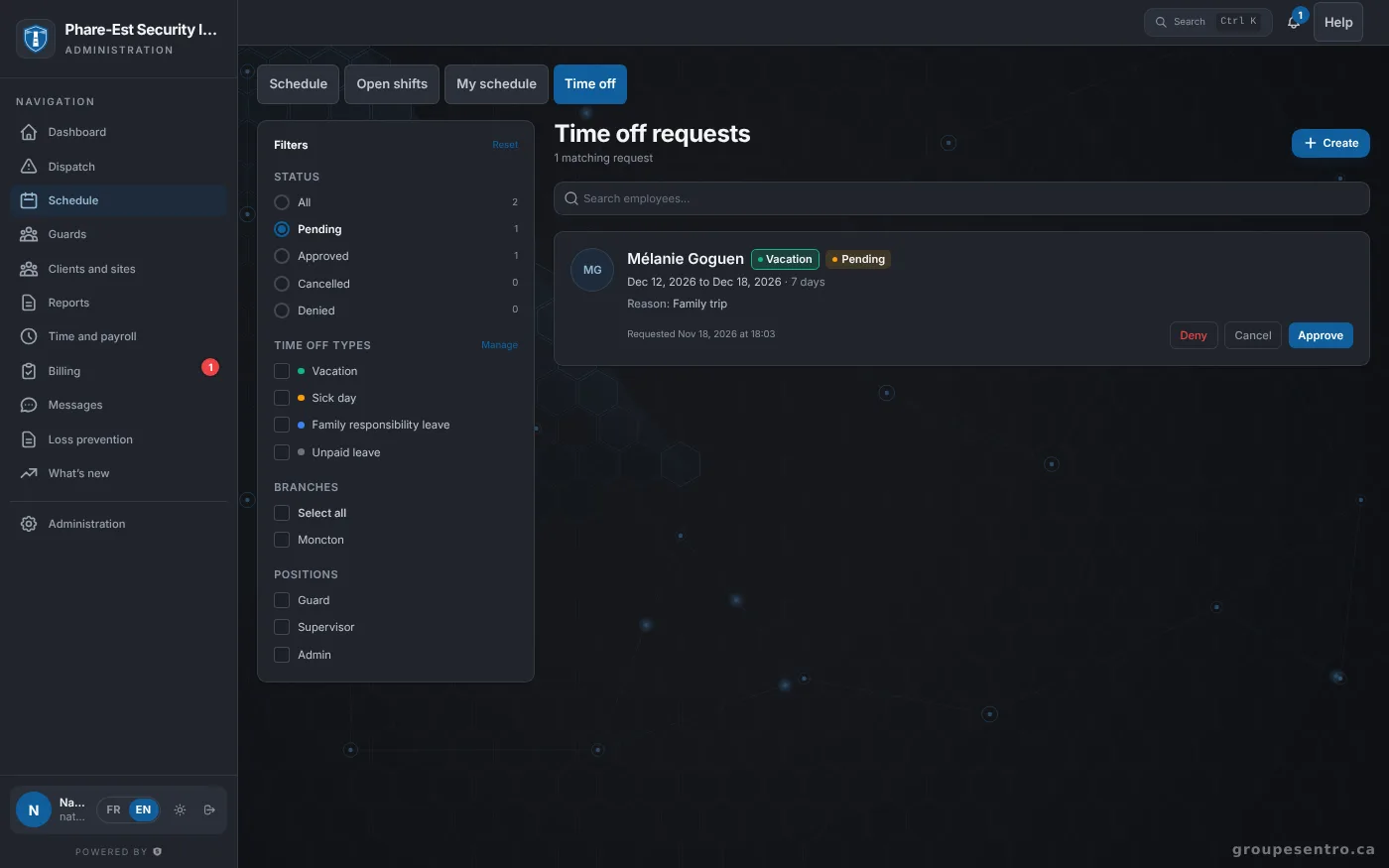
Time-off requests waiting for approval.
A time-off request made on the phone.
Reach the team about a change
When something changes, you write to one guard or to a group, or publish a news post and see who read it. Emergency contacts for each site are in the portal too, in the order to call them.
Scheduling inside a complete portal
Scheduling is one part of the portal. Guard tours with QR and NFC checkpoints, incident reports, live dispatch, payroll, invoicing and the client portal are in the same plan.
Questions about scheduling
How do guards receive their schedule?
When you publish the week, each guard gets it by email and confirms it. Guards also see their shifts on their phone.
How do we fill an open shift?
The open shift goes out to the team. Guards volunteer from their phone, and you choose among the volunteers, ranked by seniority and distance from the site.
Does the software handle New Brunswick overtime?
Yes. Overtime starts after 44 hours a week, and New Brunswick’s 8 public holidays are in the calendar.
Is the portal on Atlantic time?
Yes. Your portal is created with New Brunswick as its province, on Atlantic time.
Do guards need to install an app?
No. The portal works in the browser. On iPhone and Android, it can be added to the home screen like an app, without an app store.
How much does the scheduling software cost?
Scheduling is included with every module, at the same price: $12 per employee who worked that month, $100 minimum, plus taxes. Billed monthly, with no commitment.
Try Sentro with your team
20 days free, with 24/7 support during the trial. We reply within 24 hours.