
Guard tour software with QR and NFC checkpoints
Guard tour software that proves the patrol was done: guards scan each QR or NFC checkpoint, and the next morning you see what was missed and send the PDF to the client.
20-day free trial, with 24/7 support.
Prove the guard tour was done
A client who pays for patrols wants to know they happened, at what time and at which points. A paper log or a phone call to the guard does not show that. With Sentro, each checkpoint is a tag placed on the site. The guard scans it on the way past, the scan is recorded, and you have something to hand the client for every night.
The tour, its checkpoints and the nights it repeats
You create the guard tour and its QR or NFC checkpoints, for one site or a route across several, and choose the nights it repeats. Tags go where the guard has to check: a door, a mechanical room, a parking area, a fence line. For mobile patrol, a route sheet groups several sites into one run.
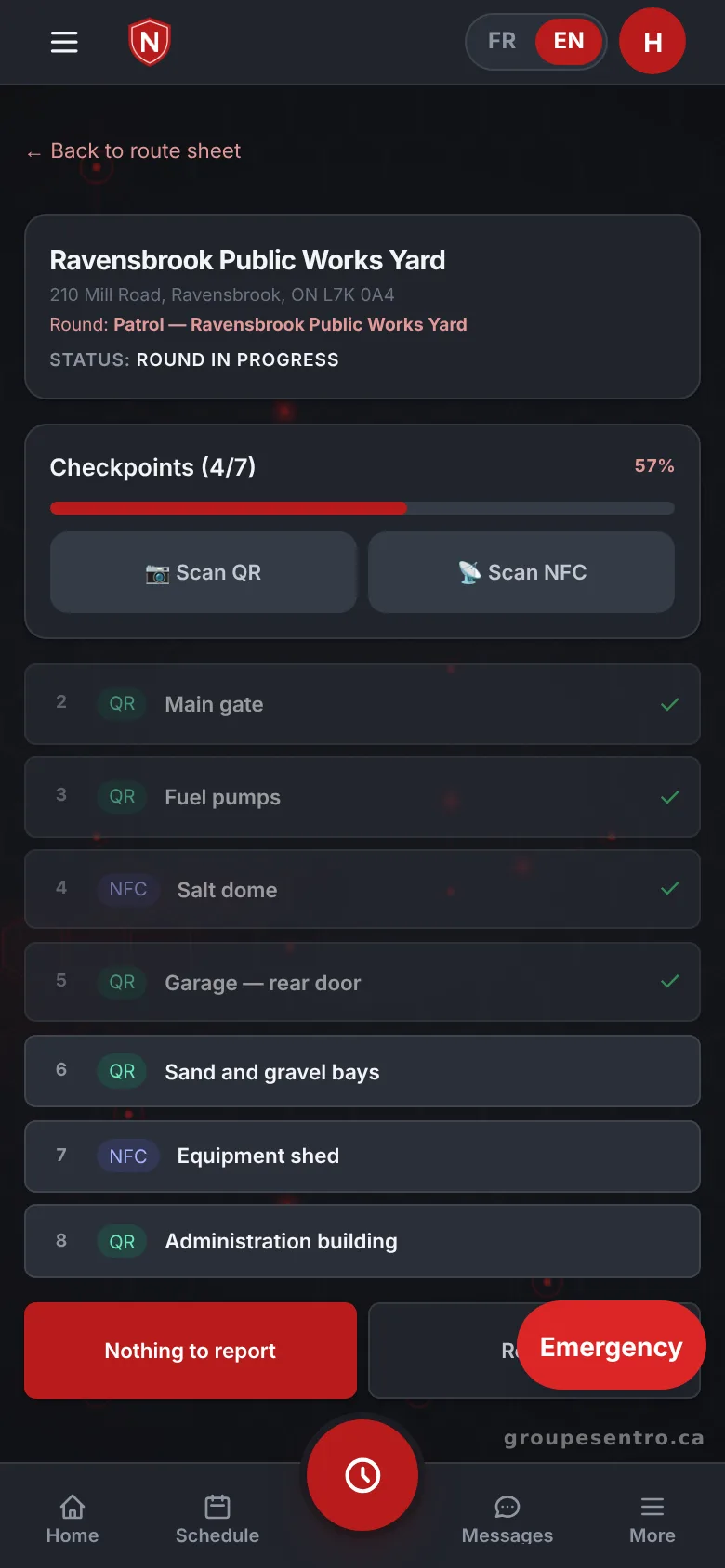
The guard scans each checkpoint
On the agency phone, the guard scans each QR or NFC checkpoint in turn. The portal can be added to the home screen of an iPhone or an Android phone like an app, without an app store.
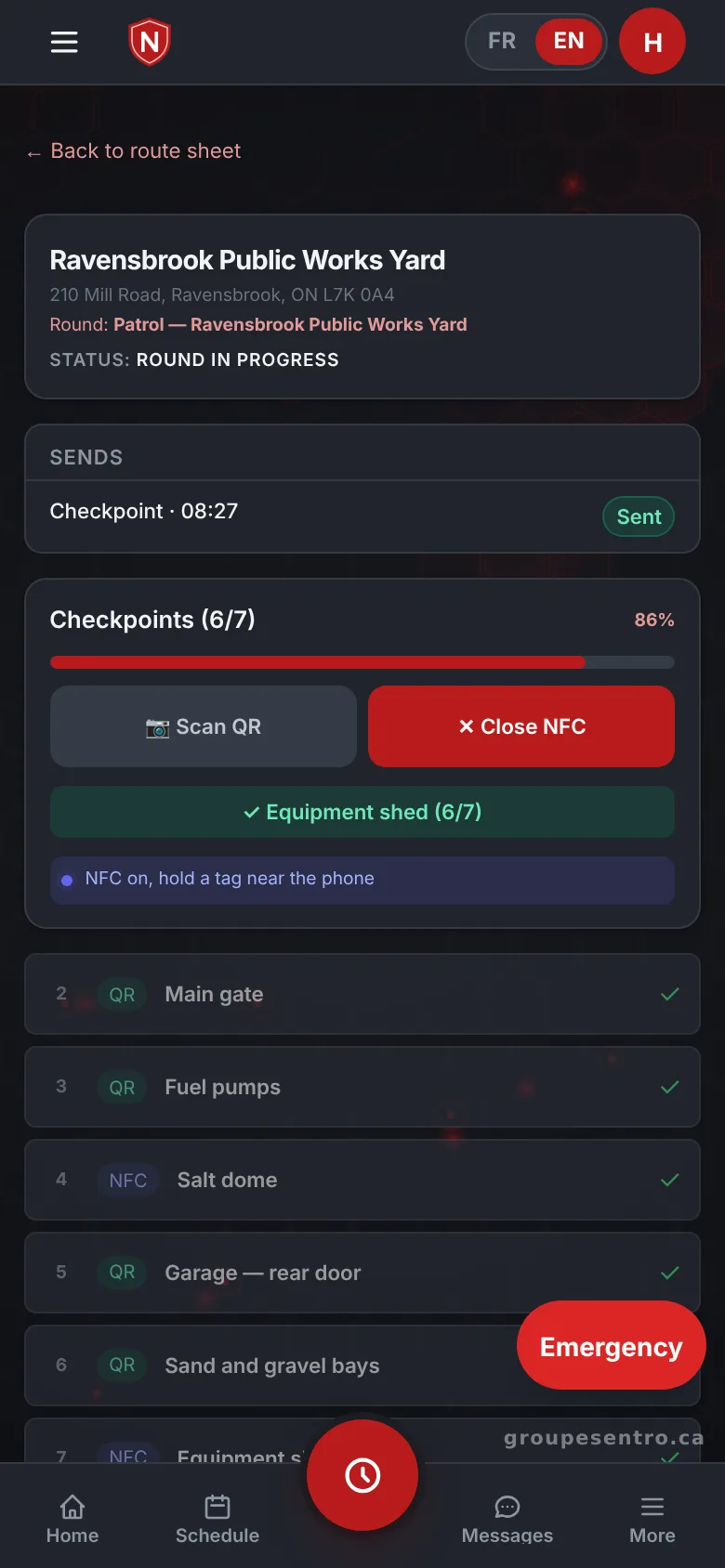
A guard on patrol scans a checkpoint.
The office follows the tour as it happens
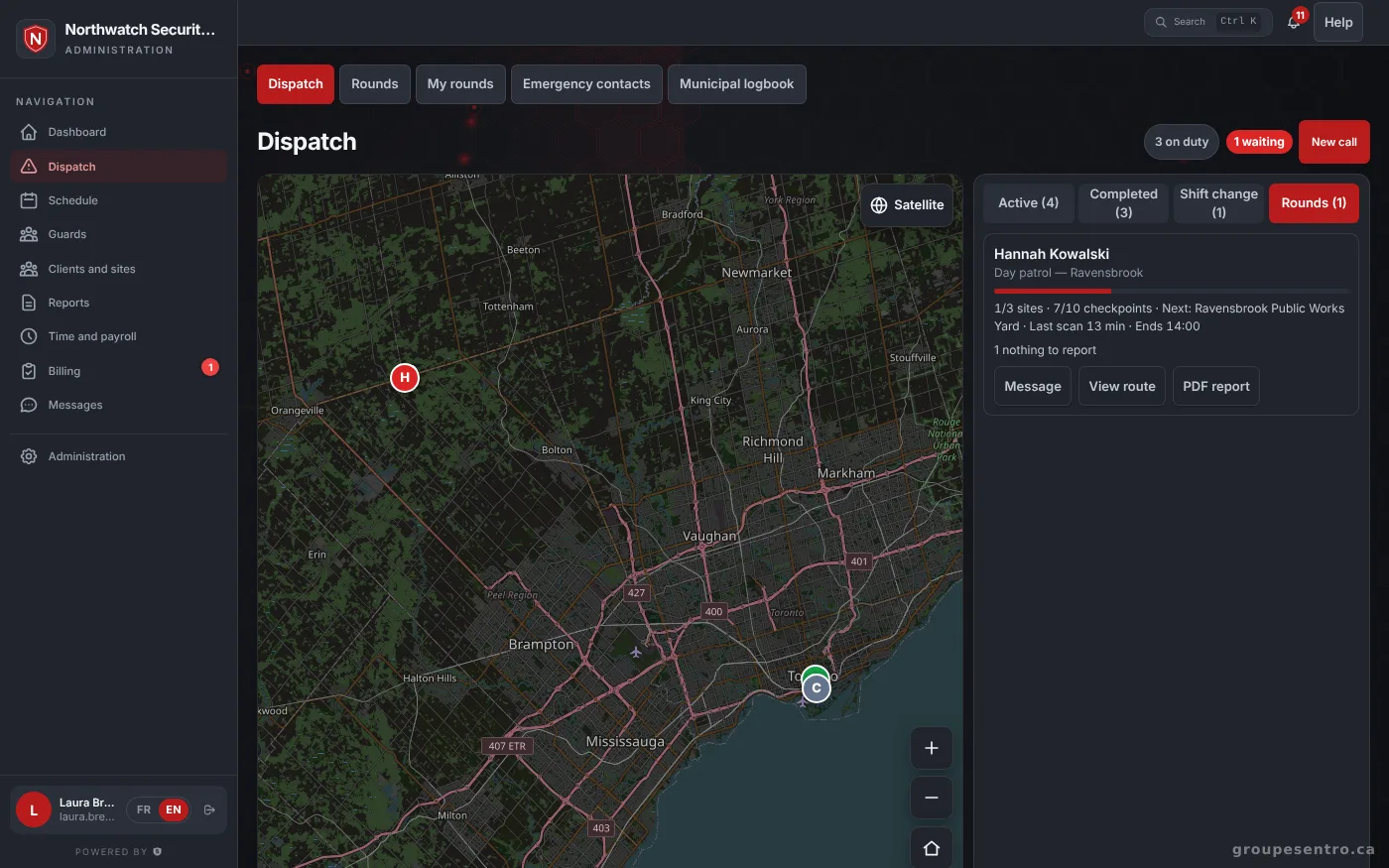
During the night, the office follows the guard tour without having to call. A late or missed checkpoint is flagged right away, so a supervisor or dispatcher can react during the shift instead of finding out the next day.
Patrols in progress and the latest scans.
The next morning, it is all there
For each night, you see the percent completed and the missed checkpoints. There is nothing to compile: the history is filled in by the guards’ scans. At the end of the period, you send the PDF to the client.
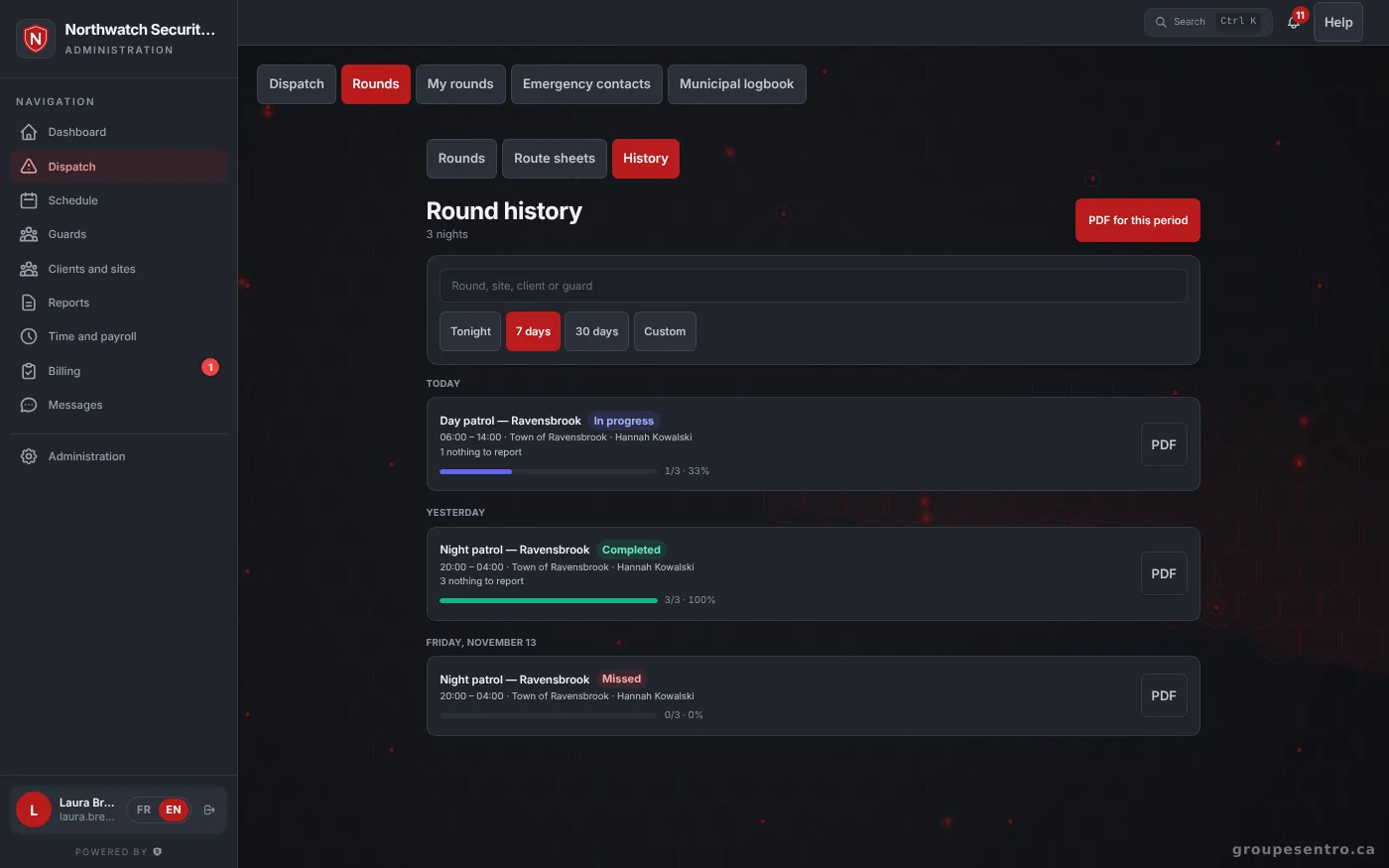
One night’s history: percent completed and missed checkpoints.
Clients see completed patrols in their portal
On top of the PDF, clients sign in under your name to see completed patrols and the reports you approved. They no longer have to write to you to find out whether last night’s tour was done. Your logo and colour appear on the portal, PDFs and emails.
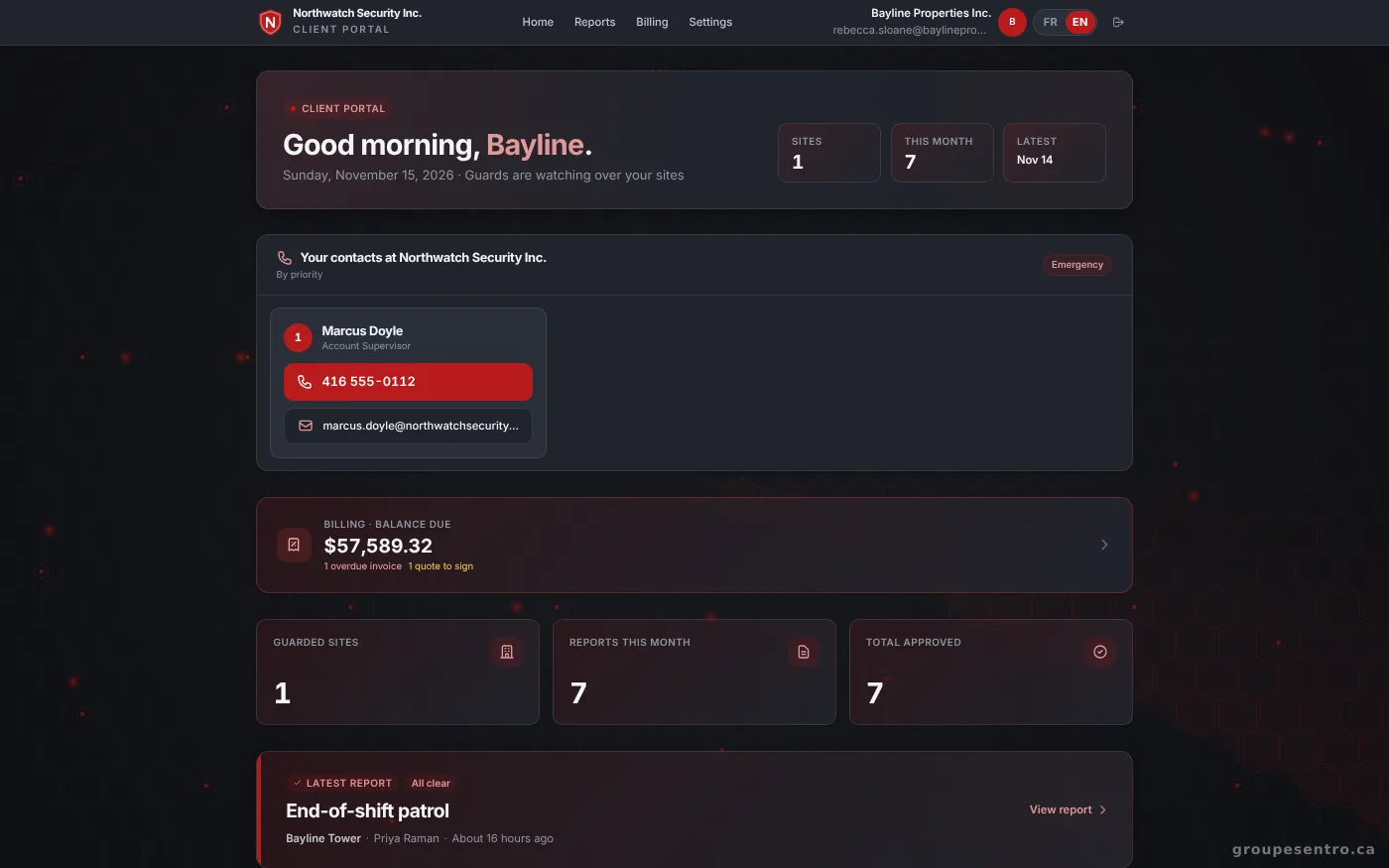
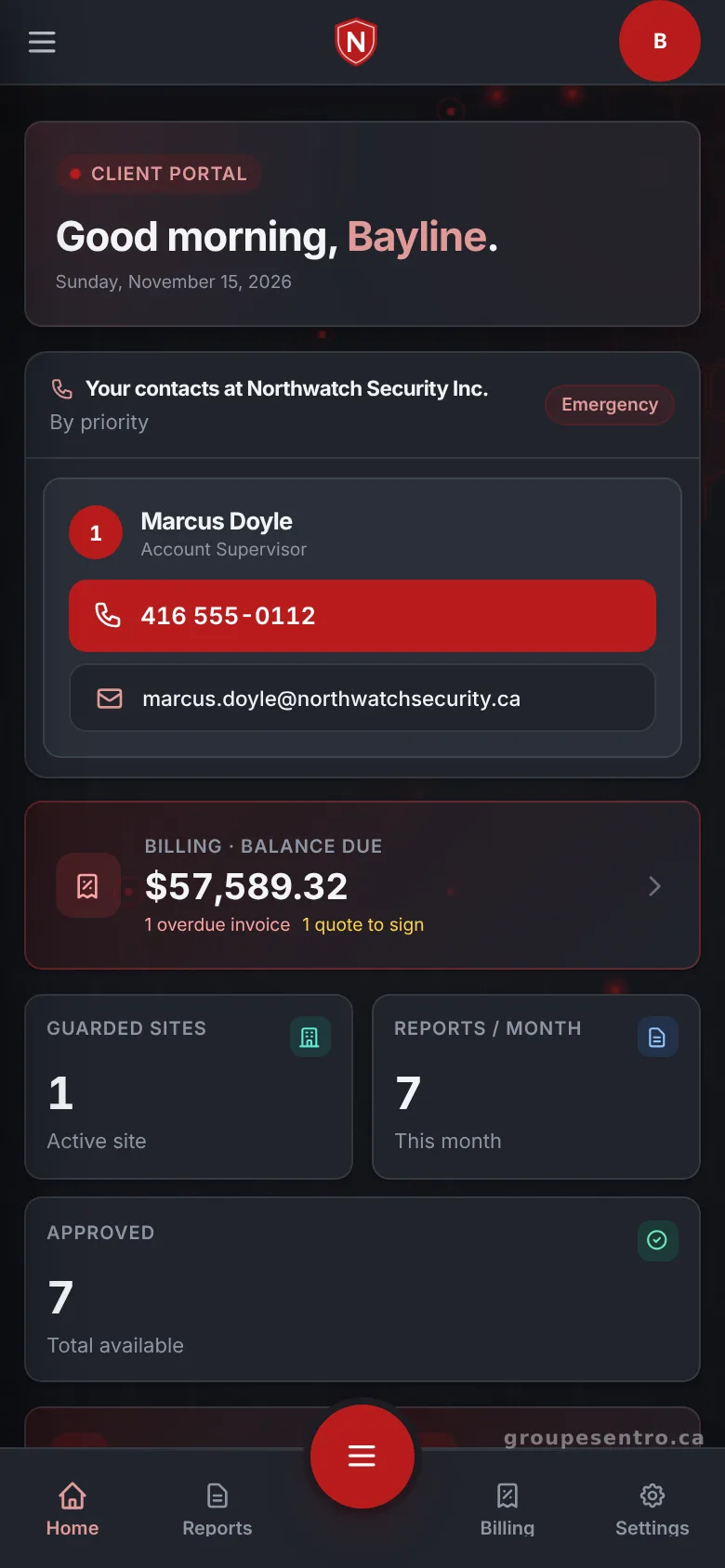
The client portal home page, with the balance, reports and patrols.
The client portal on a phone.
Guard tours with the rest of the agency
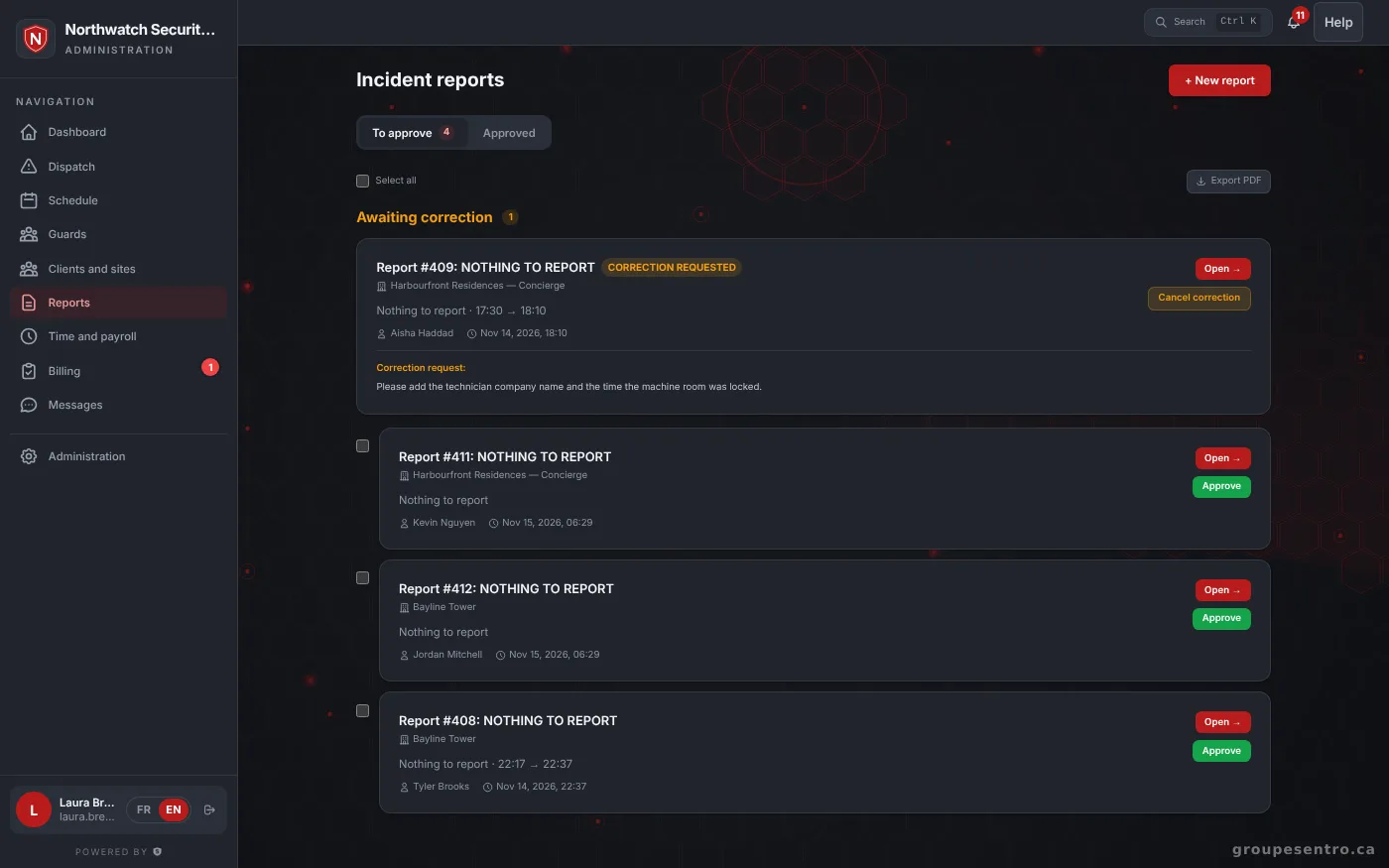
Guard tours are not a separate tool. The guard on tour punched in on the same phone, and the GPS punch confirmed they were on site. If something is wrong, the guard fills in your incident report template with photos and a signature, and the supervisor approves it before the client sees it. Punched hours then fill in the timesheet and the invoice.
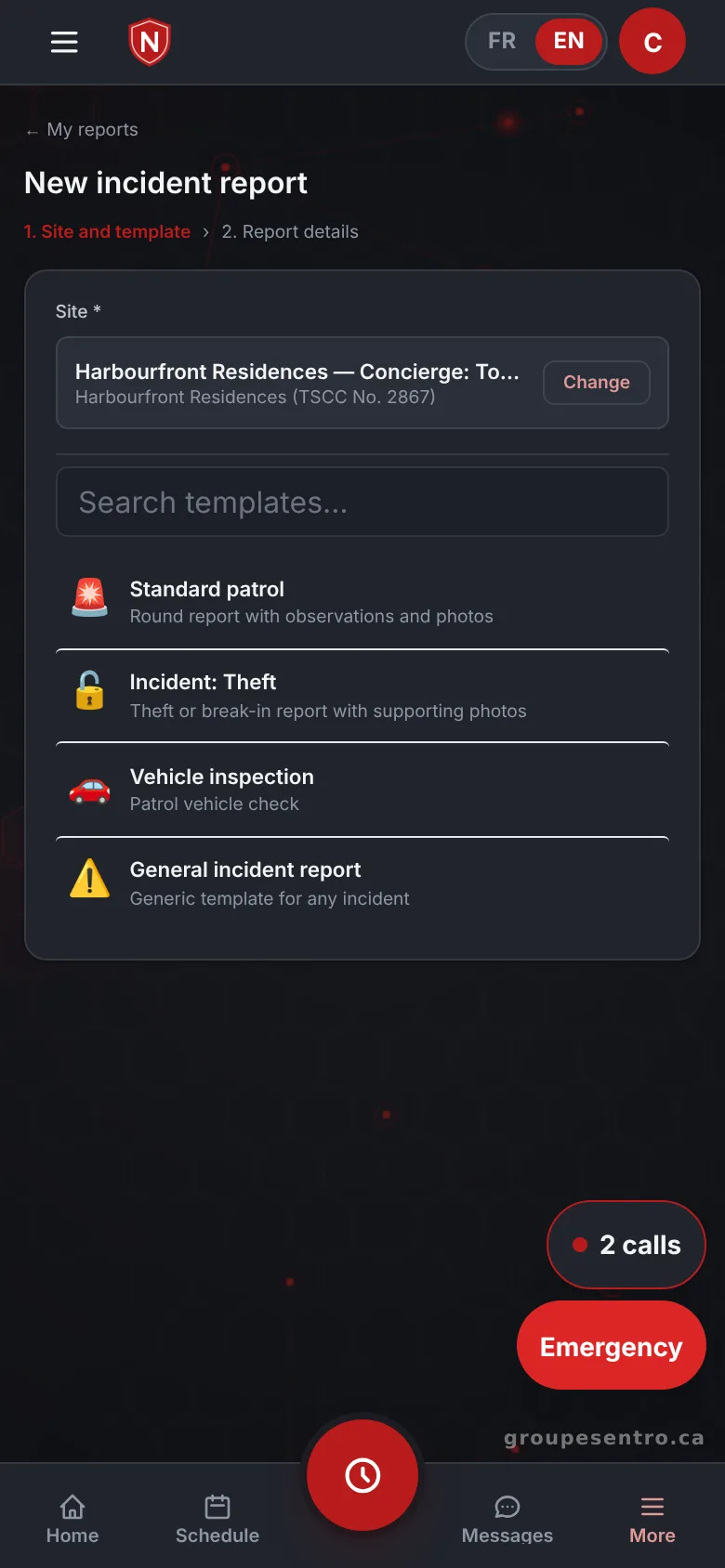
A report filled in on site.
Reports to approve, including one sent back for correction.
See the Patrols module in detail
The module page shows the patrol screens: the tour, the field and the history. Patrols are included at the same price as every other module.
Questions about guard tours
QR or NFC: which checkpoint tag should we use?
Both work. Each checkpoint is a QR tag or an NFC tag, and the guard scans it with the phone.
Which phone does the guard use?
An agency phone, iPhone or Android. The portal can be added to the home screen like an app, without an app store.
What happens when a checkpoint is missed?
A late or missed checkpoint is flagged right away. The next morning, the history of the night shows the percent completed and the missed checkpoints.
Does the client get a guard tour report?
Yes. You send the PDF of the period to the client, and they also see completed patrols in their portal.
Can one tour cover several sites?
Yes. A route can cover several sites, for mobile patrol.
Is guard tour software a separate paid module?
No. Every module is included, at the same price: $12 per employee who worked that month, $100 minimum, plus taxes. Billed monthly, with no commitment.
Try Sentro with your team
20 days free, with 24/7 support during the trial. We reply within 24 hours.