
Security guard software for Ontario agencies
Sentro is security guard software for Ontario agencies: scheduling, GPS time clock, guard tours, incident reports, payroll and invoicing in one portal. Guards use it on their phone, the office on a computer.
20-day free trial, with 24/7 support.
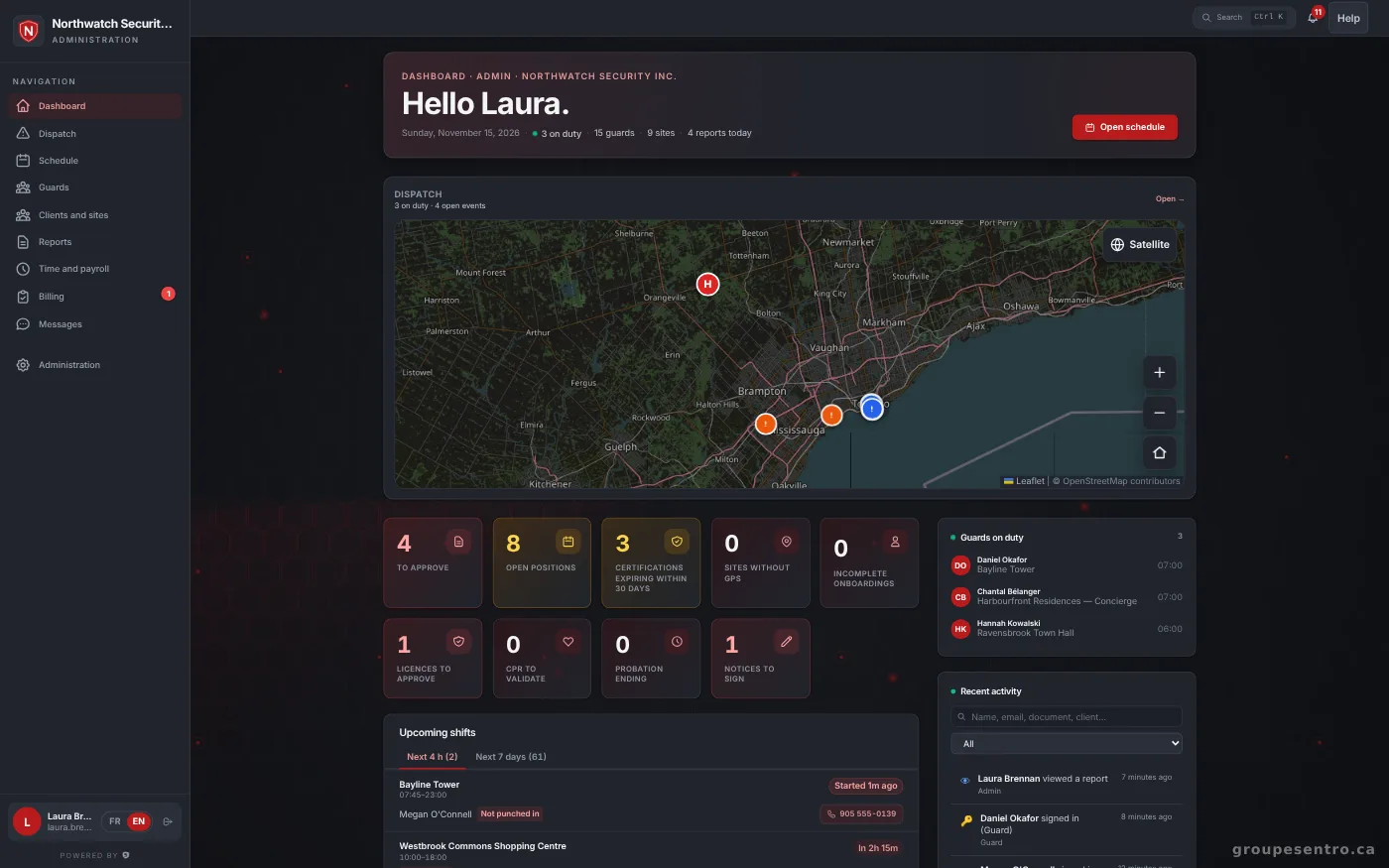
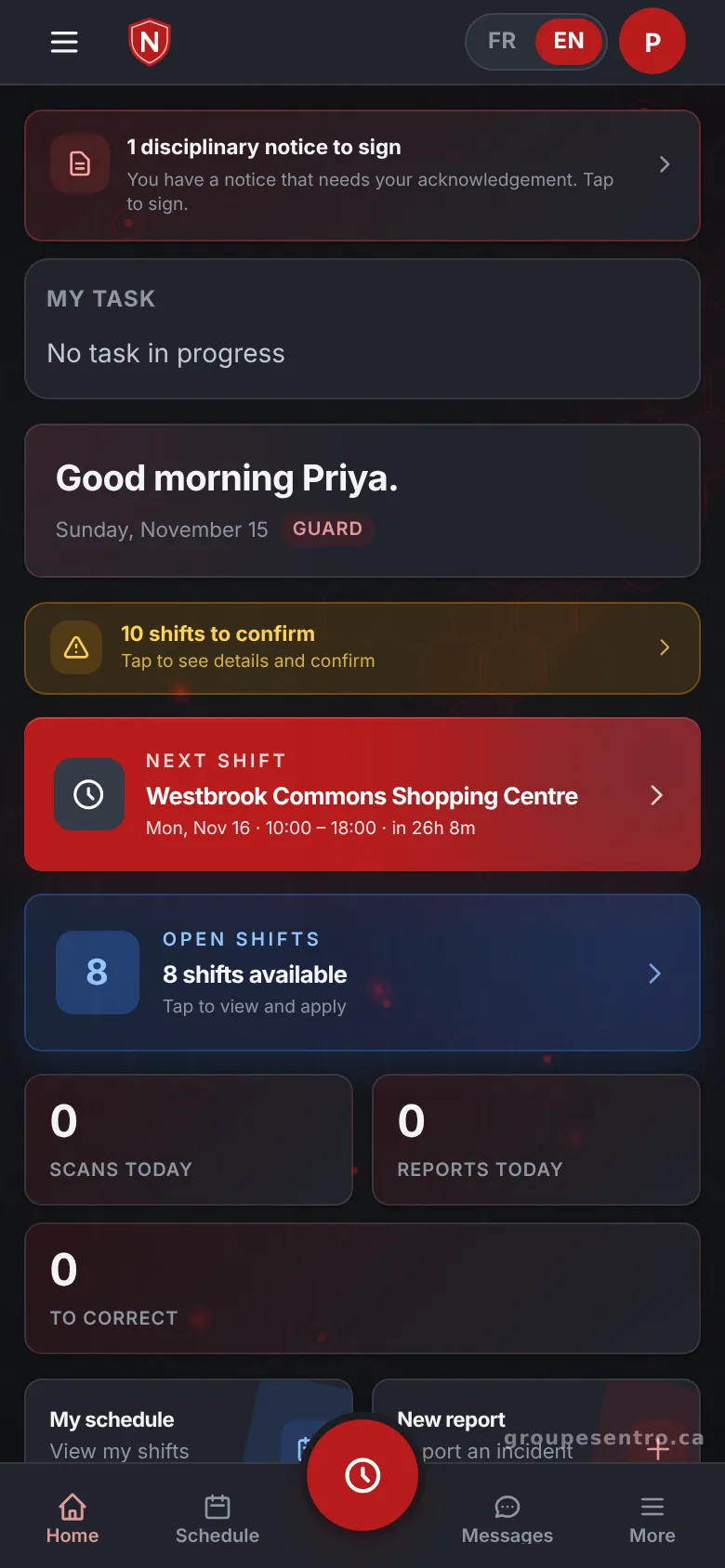
One portal instead of five tools
In many agencies, the schedule lives in a spreadsheet, punches are on paper, reports arrive by email and invoices come from another program. Sentro keeps all of it in one place. A guard punches in on site at 6:45 and files an incident report at 2:51. The supervisor approves it, the client sees it in their portal, and at the end of the period the same hours go to payroll and to the invoice, with nothing typed twice.
Set up for Ontario
Your portal is created with Ontario as its province. HST, overtime after 44 hours a week, Ontario’s 9 public holidays, the three-hour rule, vacation pay and PSISA licence expiry are already in the portal. Agencies in Toronto and the GTA, Ottawa, Hamilton, London and Windsor work the same way: guards from their phone, the office from any computer.
Scheduling and open shifts
You build the week one row per guard and publish it. Each guard gets the schedule by email and confirms it. When a shift has no guard, it goes out to the team, and you choose among the volunteers, ranked by seniority and distance from the site. The portal opens on what needs a decision today: reports to approve, shifts to fill and licences about to expire.
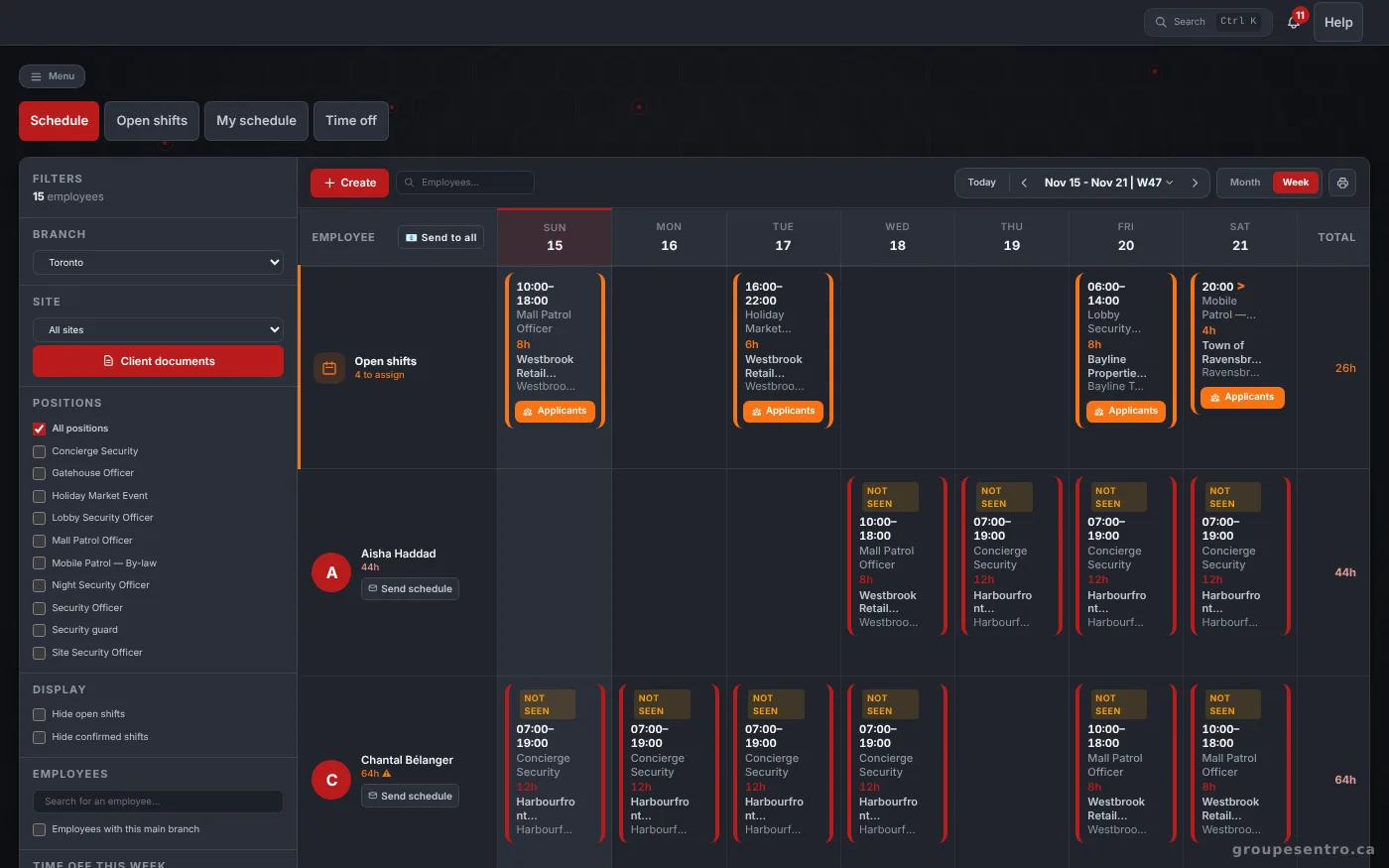
The week’s schedule, with open shifts and time off.
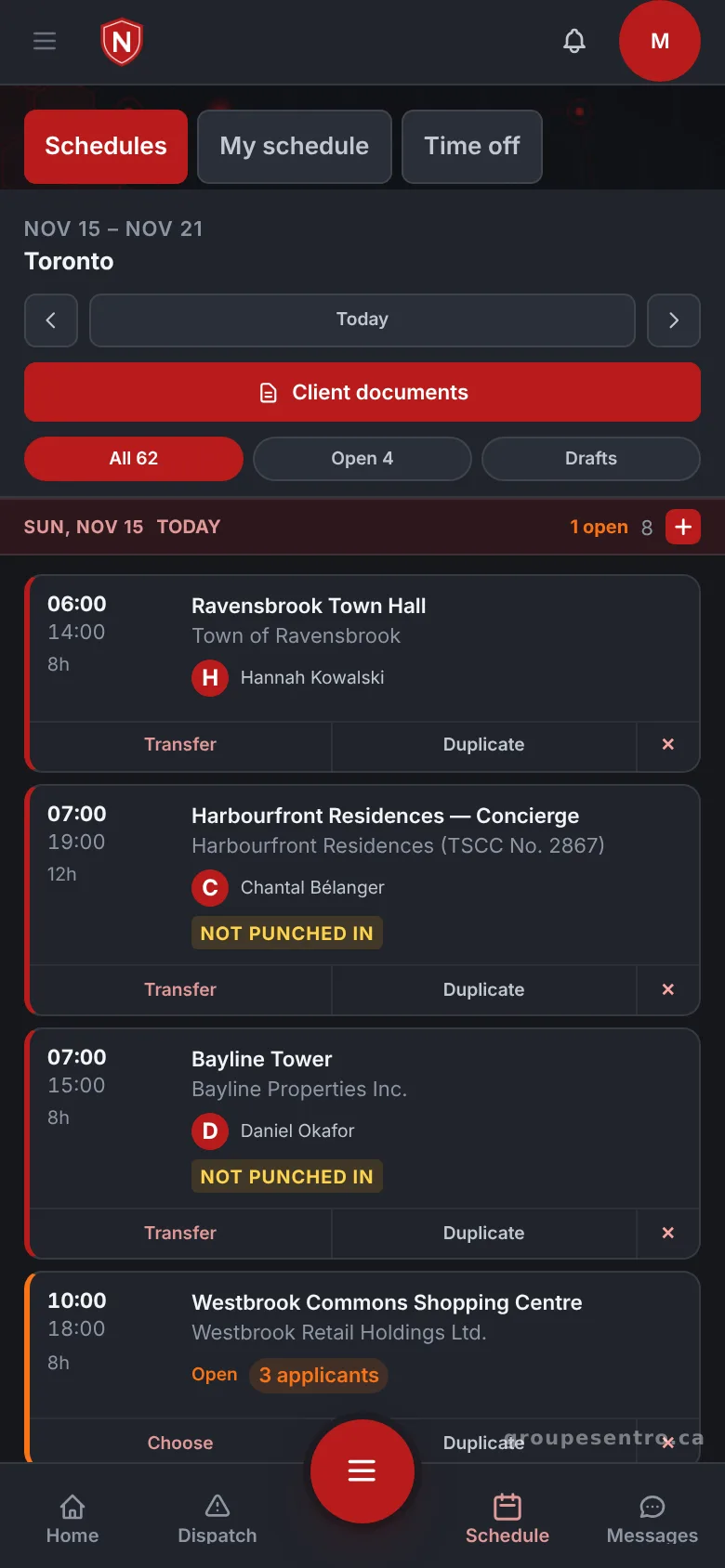
The branch schedule on the supervisor’s phone.
A guard time clock with GPS punch
The guard punches in from their phone, and the GPS punch confirms they are on site. The office sees who is in the field without calling each site. Punched shifts then fill in the timesheet, so there is no paper sheet to collect and no hours to copy at the end of the week.
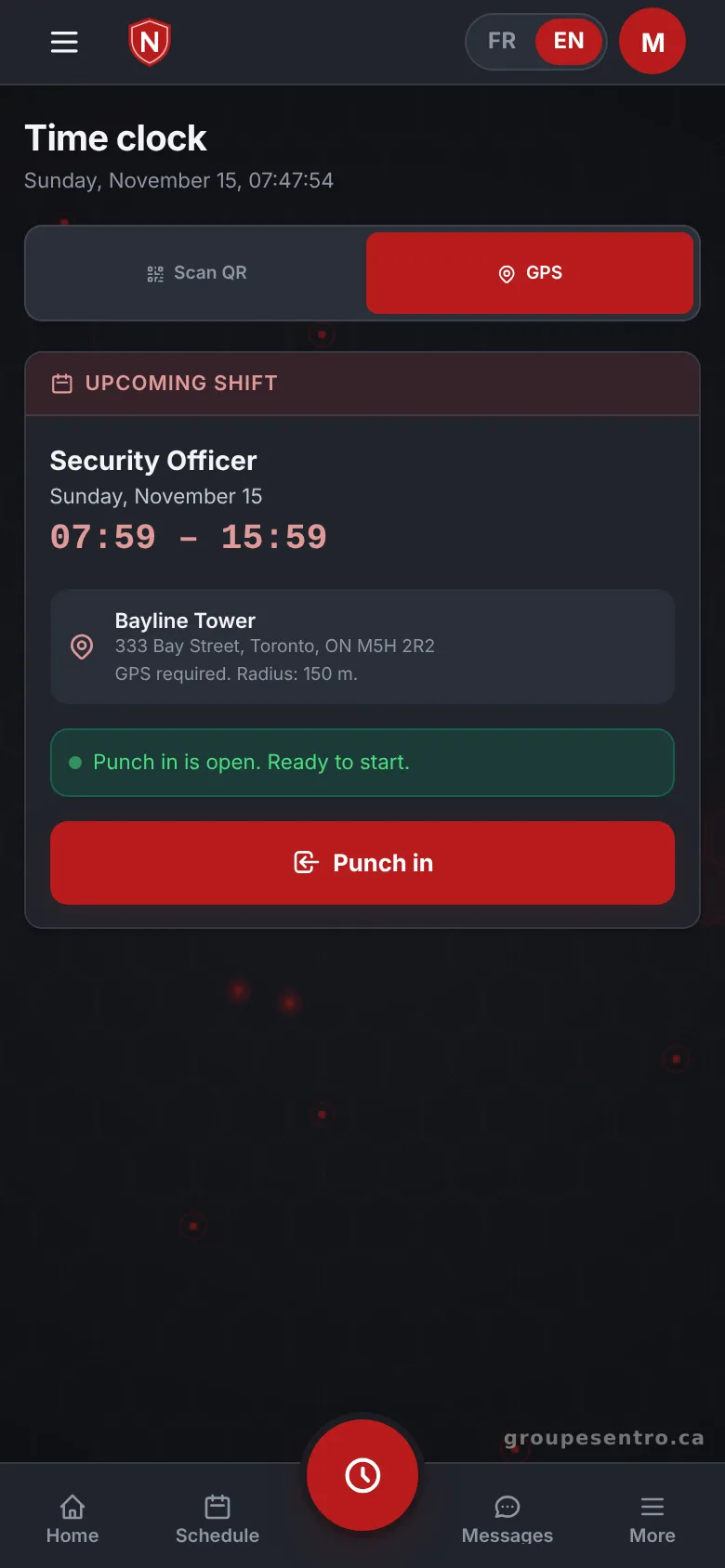
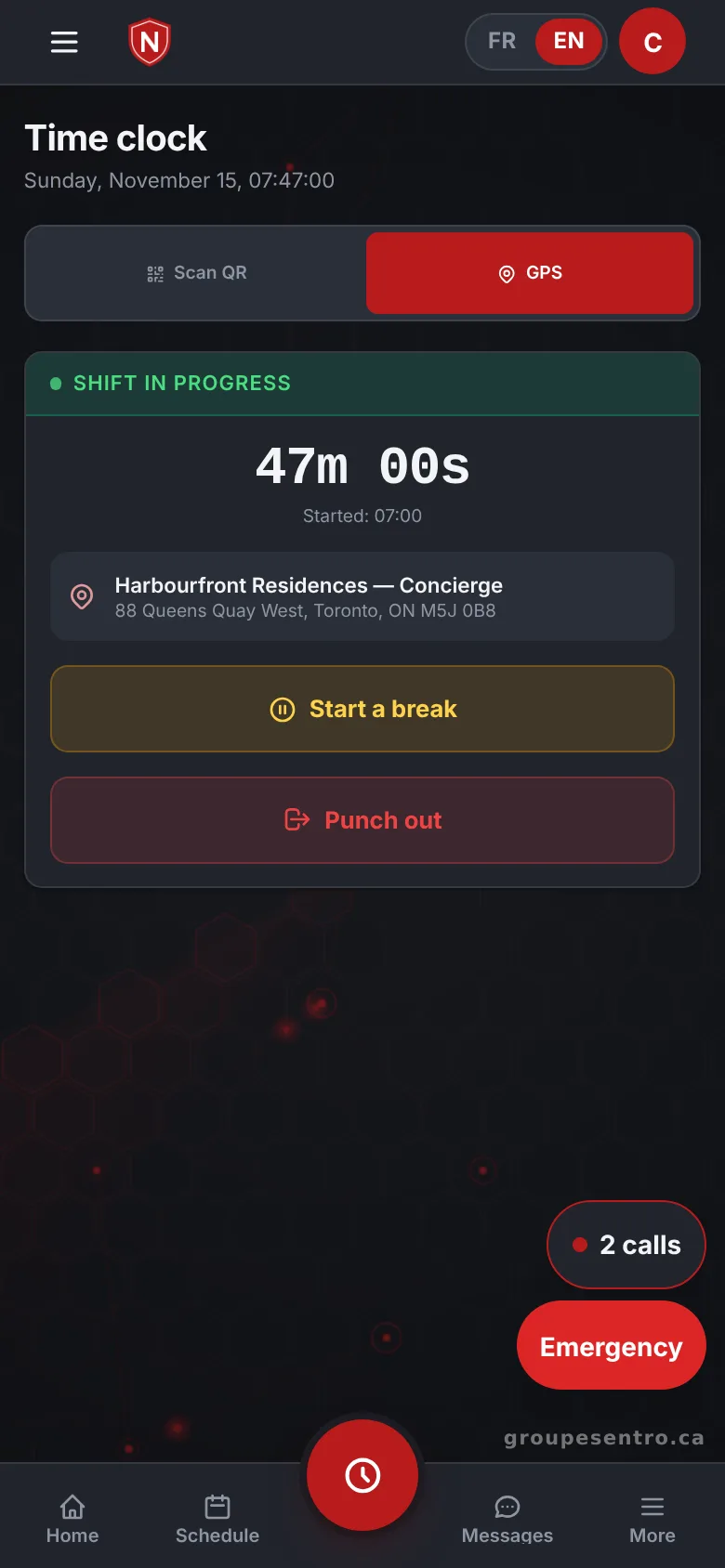
Punching in by GPS, within the site radius.
A shift in progress, with the time elapsed and the break button.
Guard tours you can prove
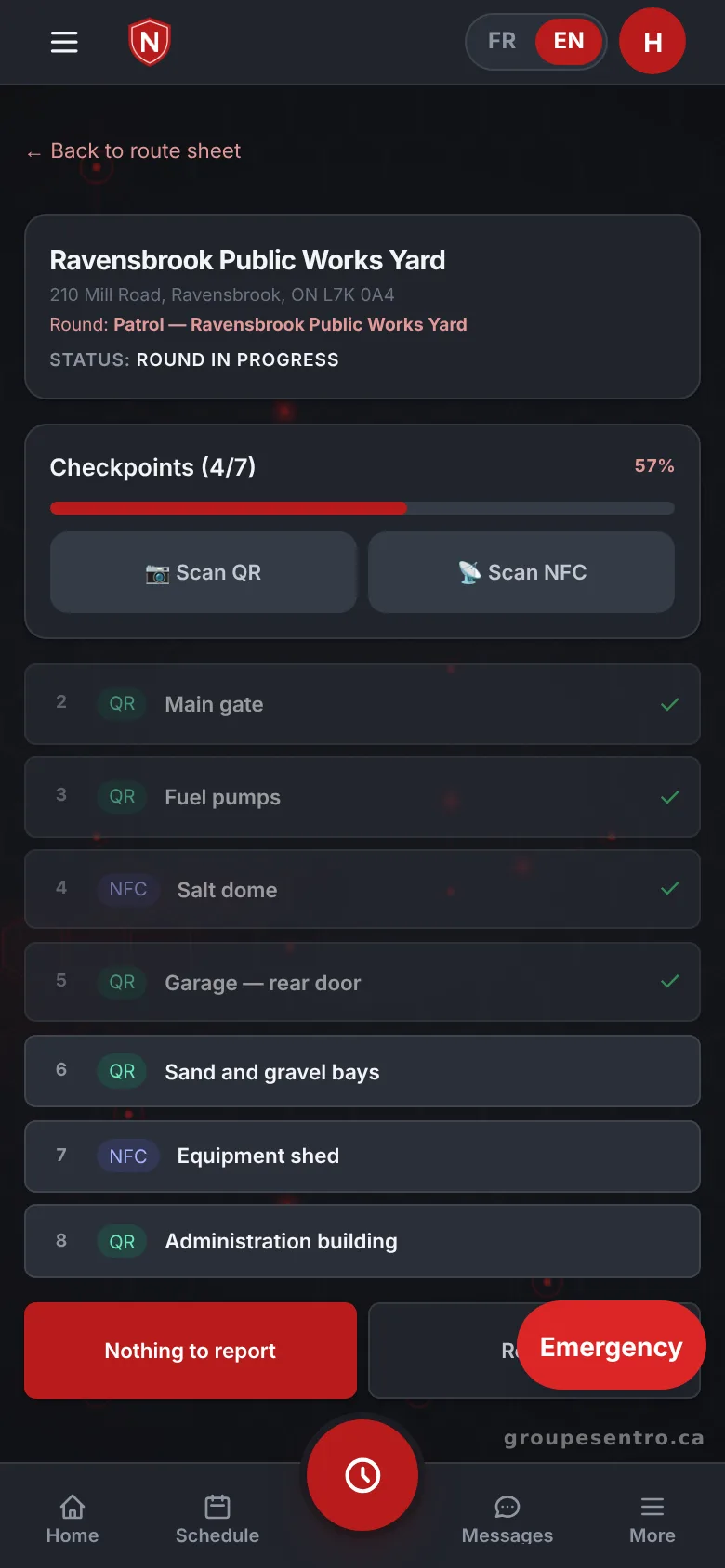
You create the guard tour and its QR or NFC checkpoints, for one site or a route across several, and choose the nights it repeats. Guards scan each checkpoint in turn, and a late or missed one is flagged right away. The next morning, you see the percent completed and the missed checkpoints, then send the PDF of the period to the client.
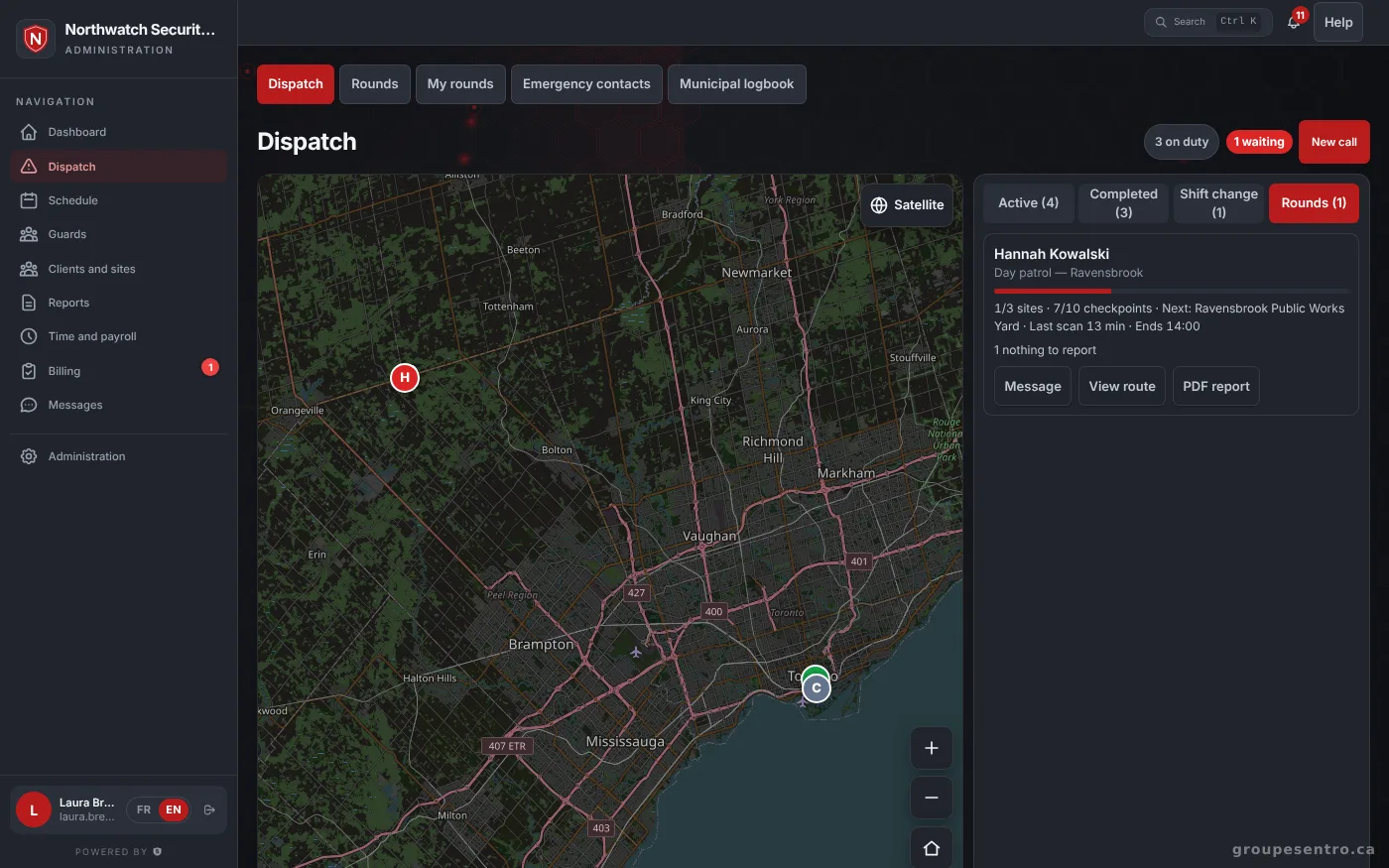
Patrols in progress and the latest scans.
A patrol on the guard’s phone, checkpoint by checkpoint.
Incident reporting from the field
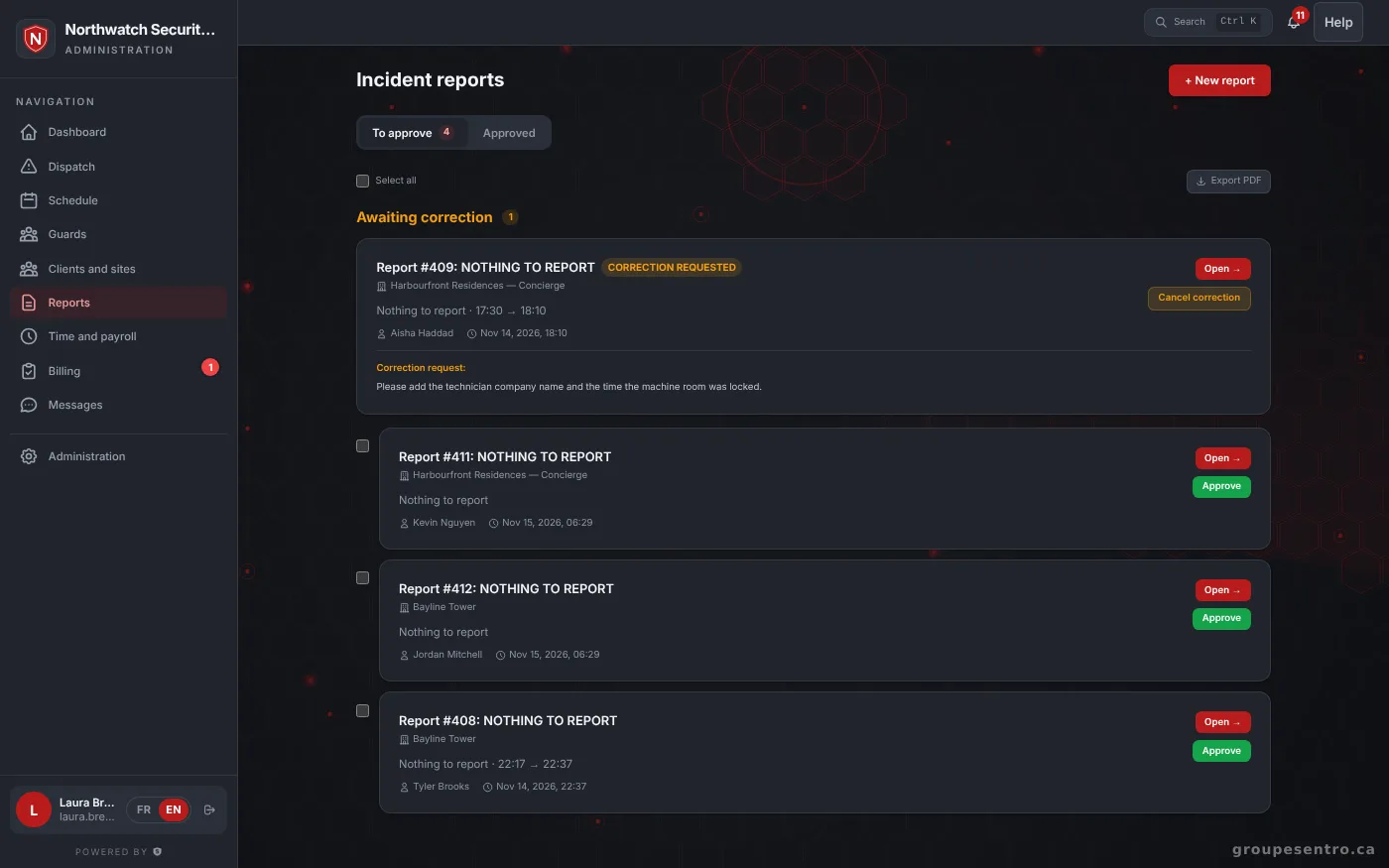
The guard fills in your template on site, with photos and a signature. The supervisor approves the report before the client sees it. Once approved, the client finds it in their portal, site by site, next to the completed patrols. Approved report = locked. No one can change it, not even the admin; corrections are made by addendum.
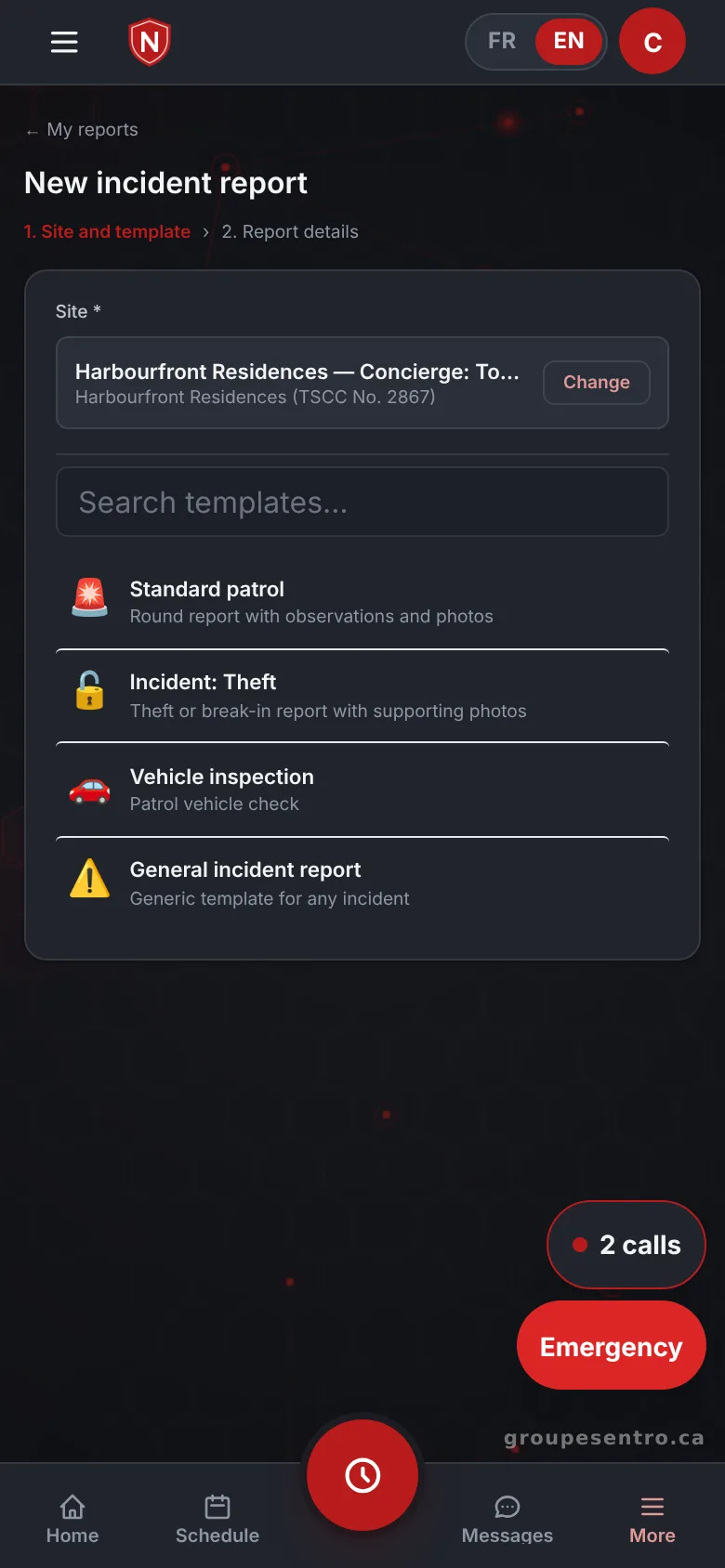
A report filled in on site.
Reports to approve, including one sent back for correction.
Live dispatch
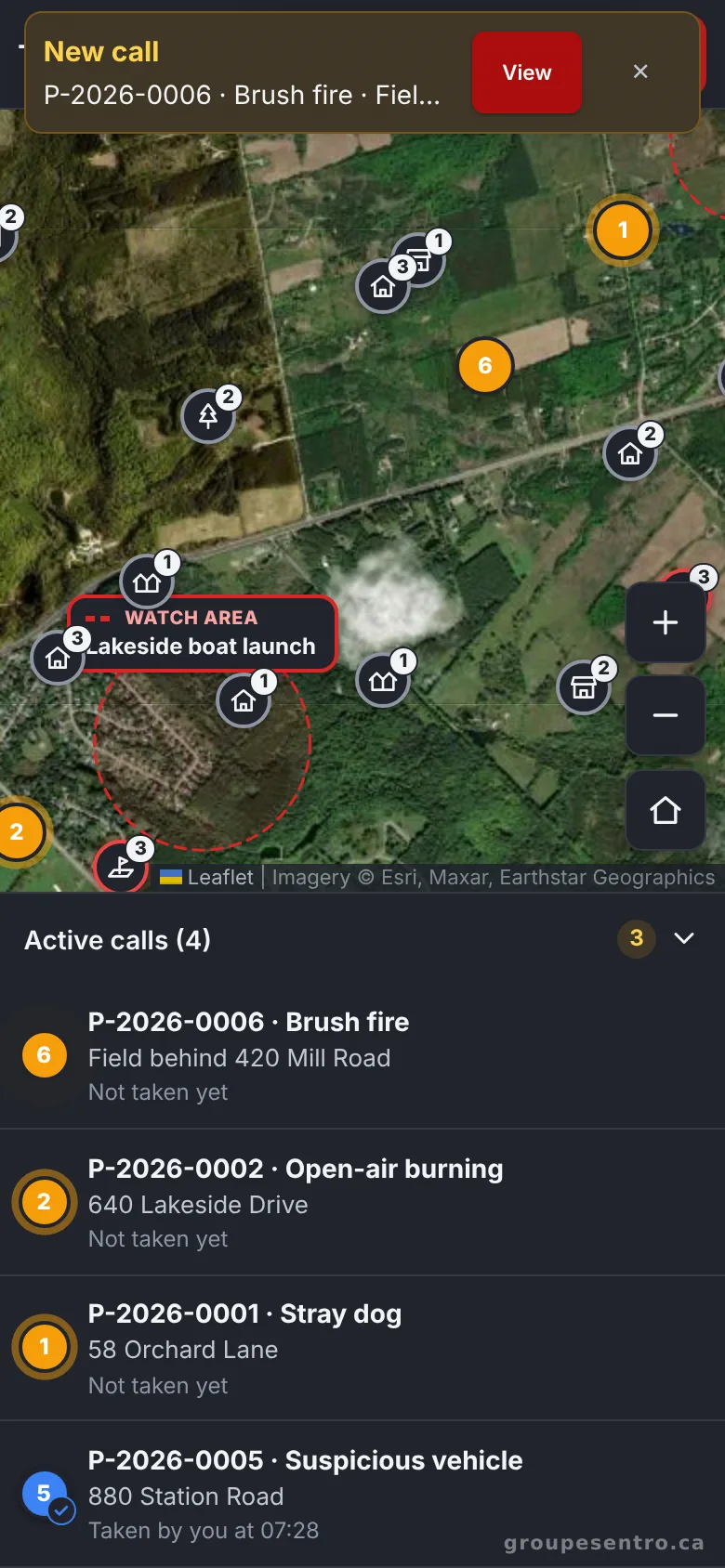
For mobile patrol and alarm calls, you create a call in seconds and send it to the nearest guard on duty, who gets the address on their phone. Every call is followed until it is closed.
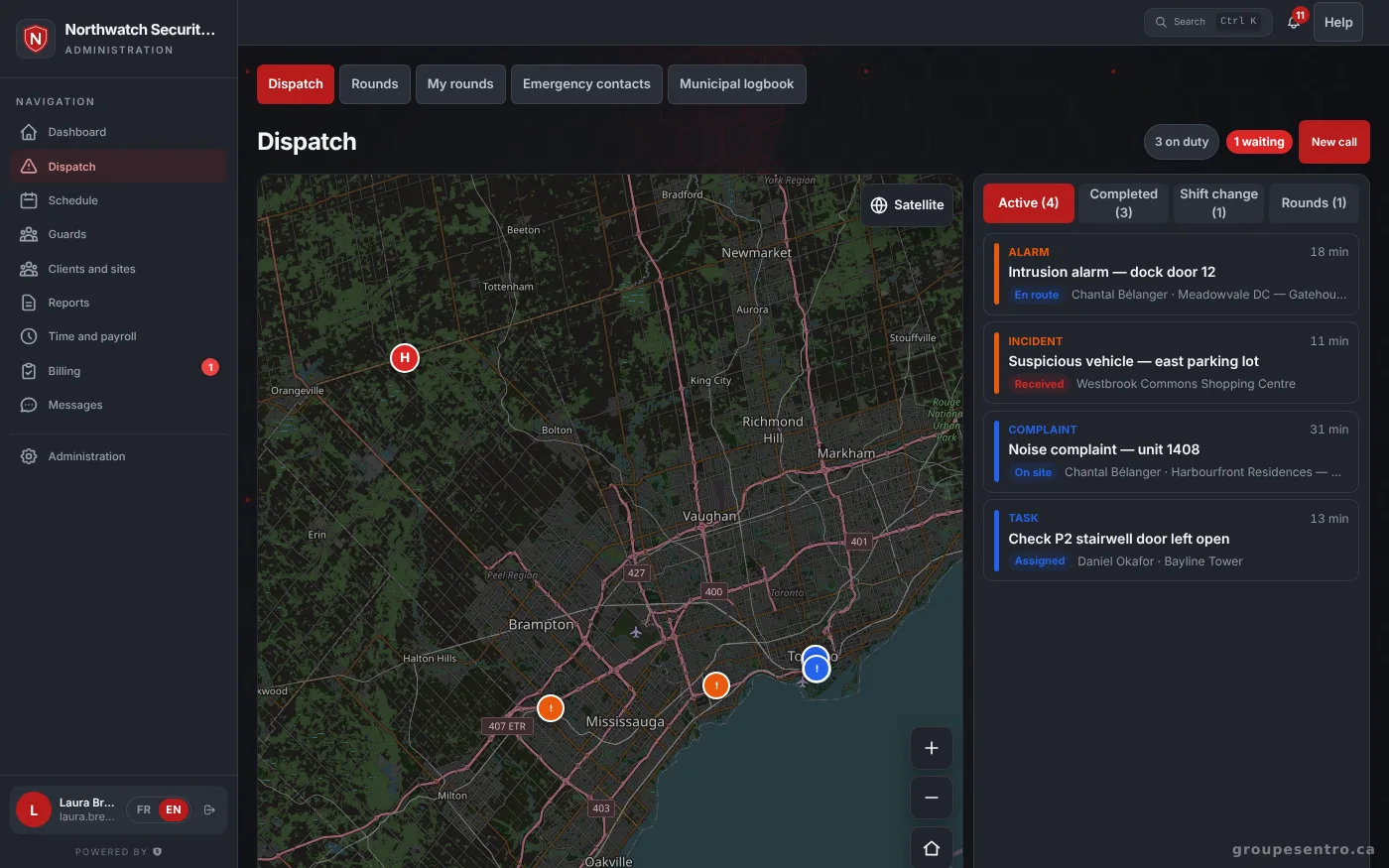
The live map and the queue of calls in progress.
The alert on the phone of the guard on duty.
Payroll with Ontario rules, invoices with HST
Punched shifts fill in the timesheet. You approve it, and the employee signs it or disputes it with a reason. Overtime starts after 44 hours a week, and the period exports to Excel or CSV for your payroll provider. Invoices come straight from the hours worked, with HST, and clients sign their quotes online by typing their name. The employee file holds identity, rates, licences, documents and history, with vacation pay and termination pay calculated. PSISA licences are checked in the Ontario public registry, and those expiring within 30 days have their own list.
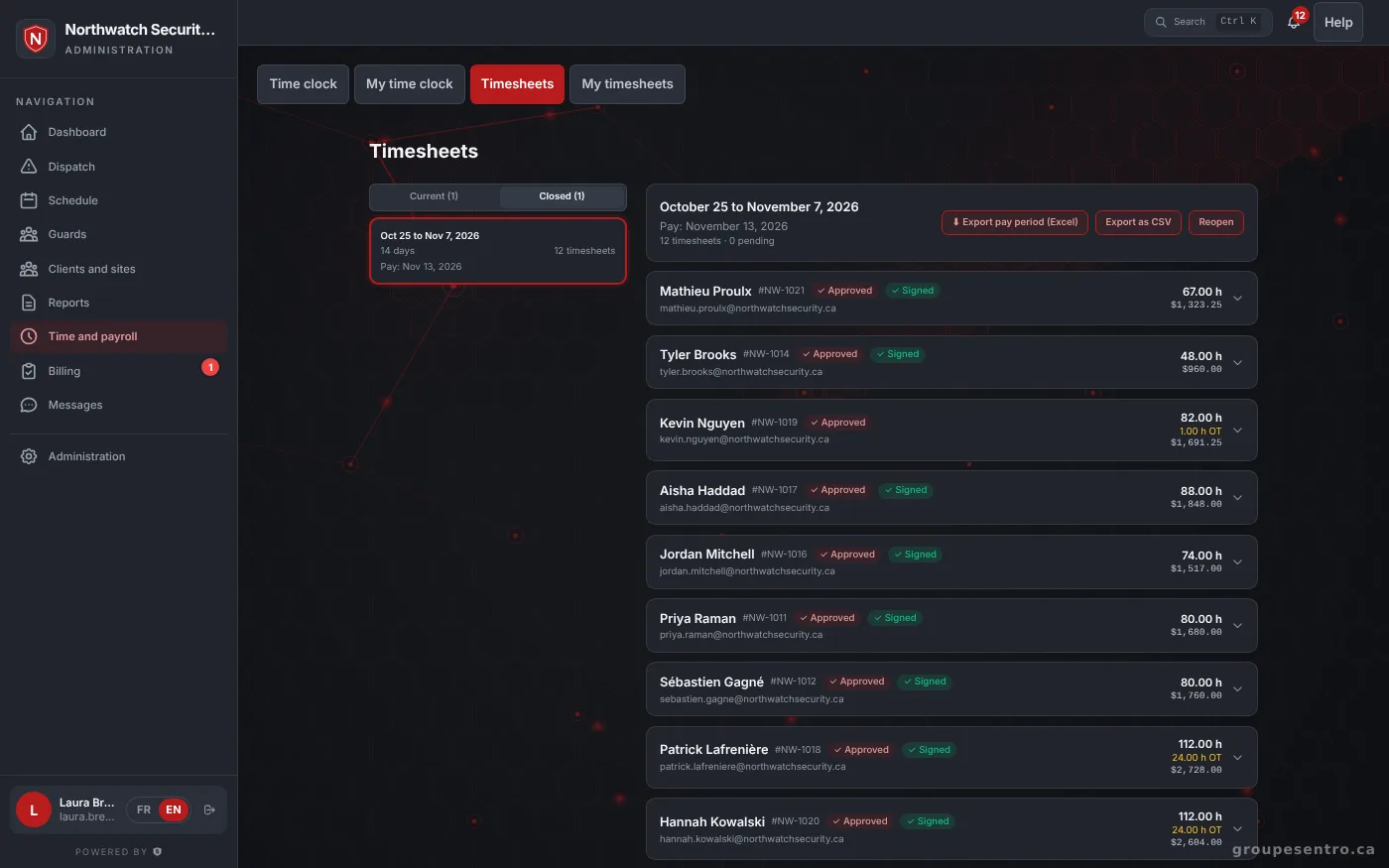
The period’s timesheets.
A client portal in your name
Clients sign in under your name to see approved reports, completed patrols, their invoices and quotes to sign. Your logo and colour appear on the portal, PDFs and emails, at youragency.groupesentro.ca. A client sees only what concerns them: their approved reports, their sites and their invoices.
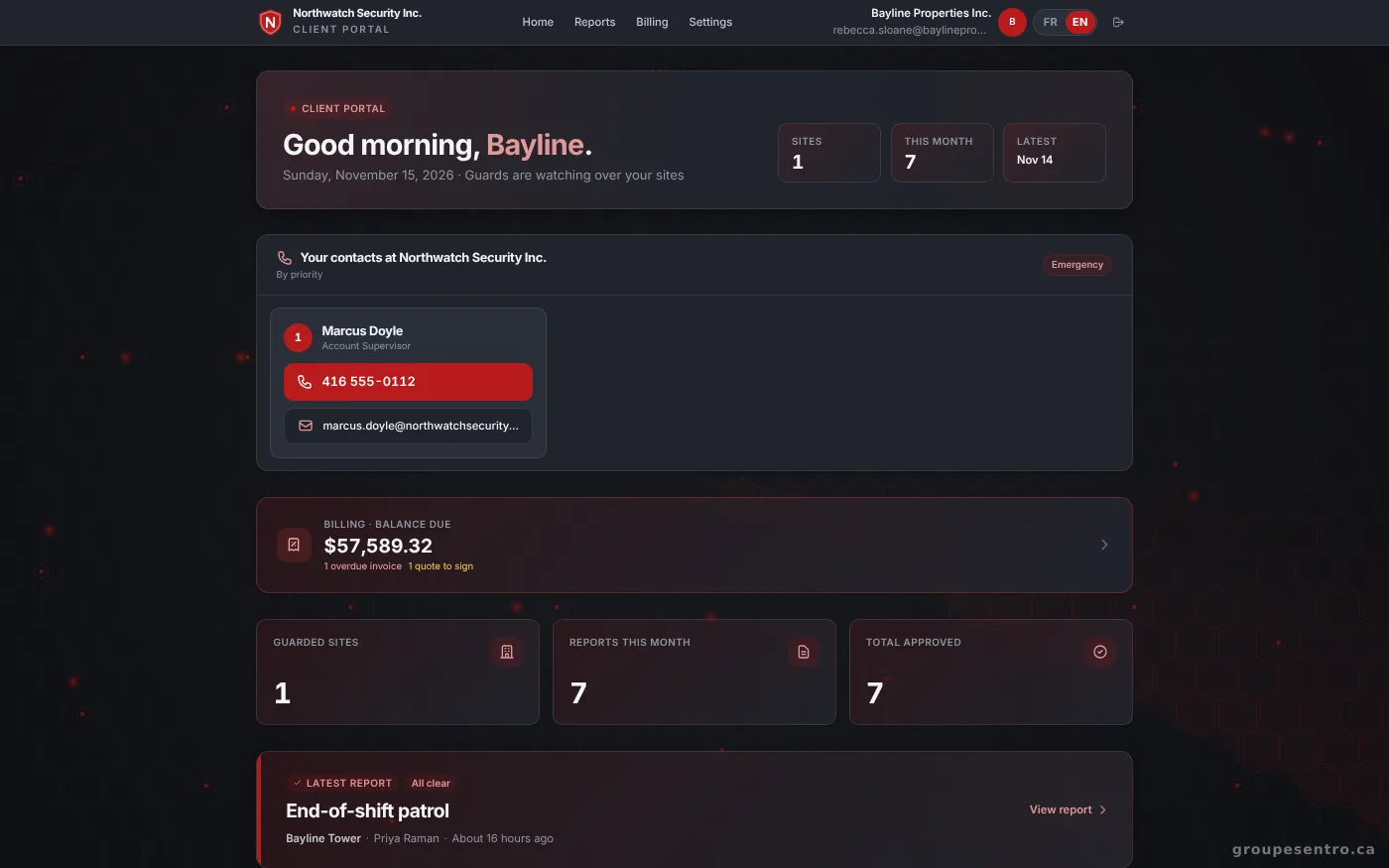
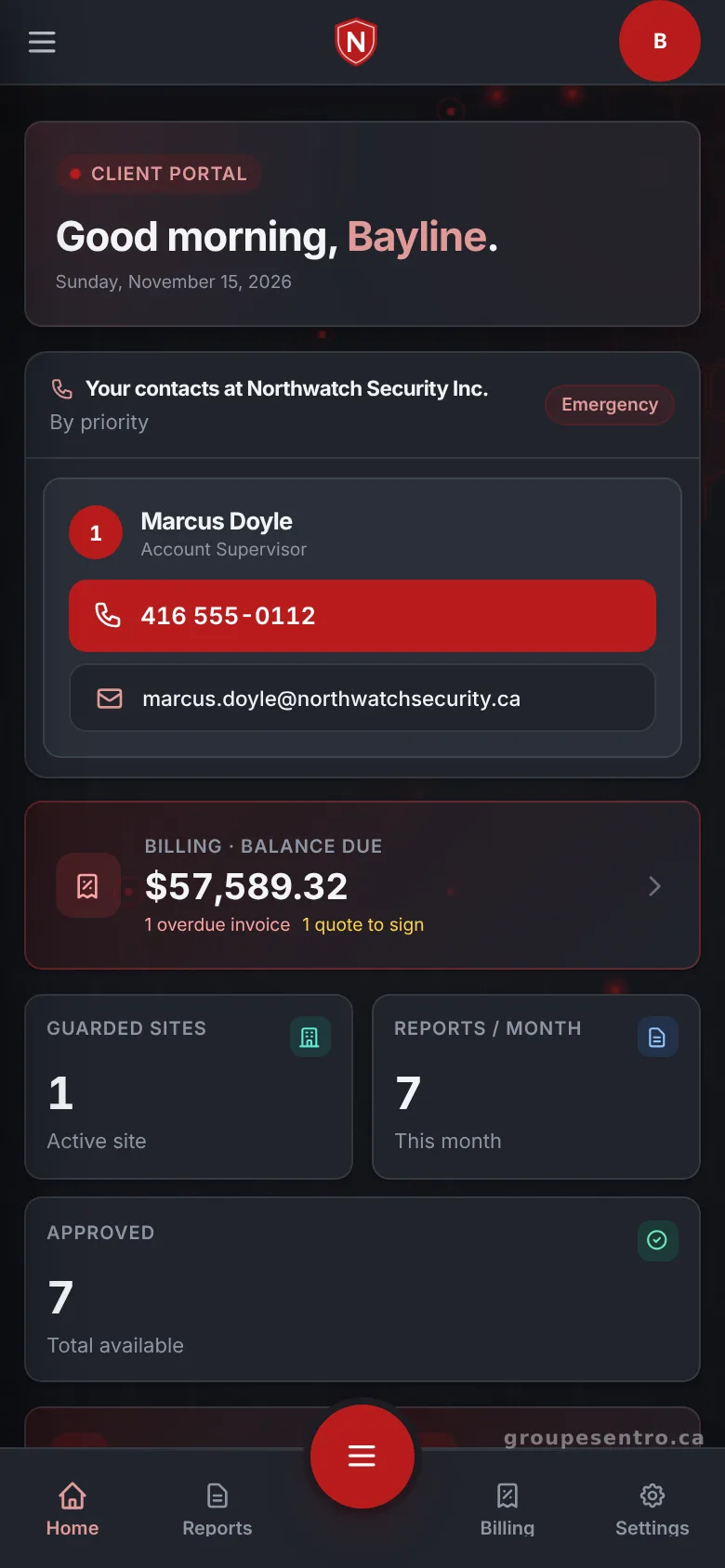
The client portal home page, with the balance, reports and patrols.
The client portal on a phone.
Your data stays in Canada
Two-step verification is required for the office and supervisors. Every sign-in is recorded with its device, and a new device is flagged. Your data stays on servers in Canada with a full backup every hour, and no agency ever sees another’s.
Questions about the software
Is Sentro set up for Ontario?
Yes. Your portal is created with Ontario as its province: HST, overtime after 44 hours, public holidays and PSISA licences.
Do guards need to install an app?
No. The portal works in the browser. On iPhone and Android, it can be added to the home screen like an app, without an app store.
How much does the security guard software cost?
$12 per employee who worked that month, $100 minimum, plus taxes. Every module is included, and you are billed monthly with no commitment.
How does the trial work?
You try Sentro free for 20 days, with 24/7 support. Fill in the form; we write to you within 24 hours to show you Sentro.
Is support available in English?
Yes. Support is in English and French, 24/7.
Where is our data hosted?
On servers in Canada, with a full backup every hour.
Try Sentro with your team
20 days free, with 24/7 support during the trial. We reply within 24 hours.