
Loss prevention software for Québec agencies
Your plainclothes investigators file one report per incident on their phone. The numbers add up on their own, and the client sees them in their portal once you approve them.
Module available on request.
Several stores, one punch
The plainclothes investigator punches in once at the start of the shift, then files reports in every store of the client, with no shift per store. Their title, Investigator, shows on the schedule, on their reports and in the client portal.
One report per incident, on the phone
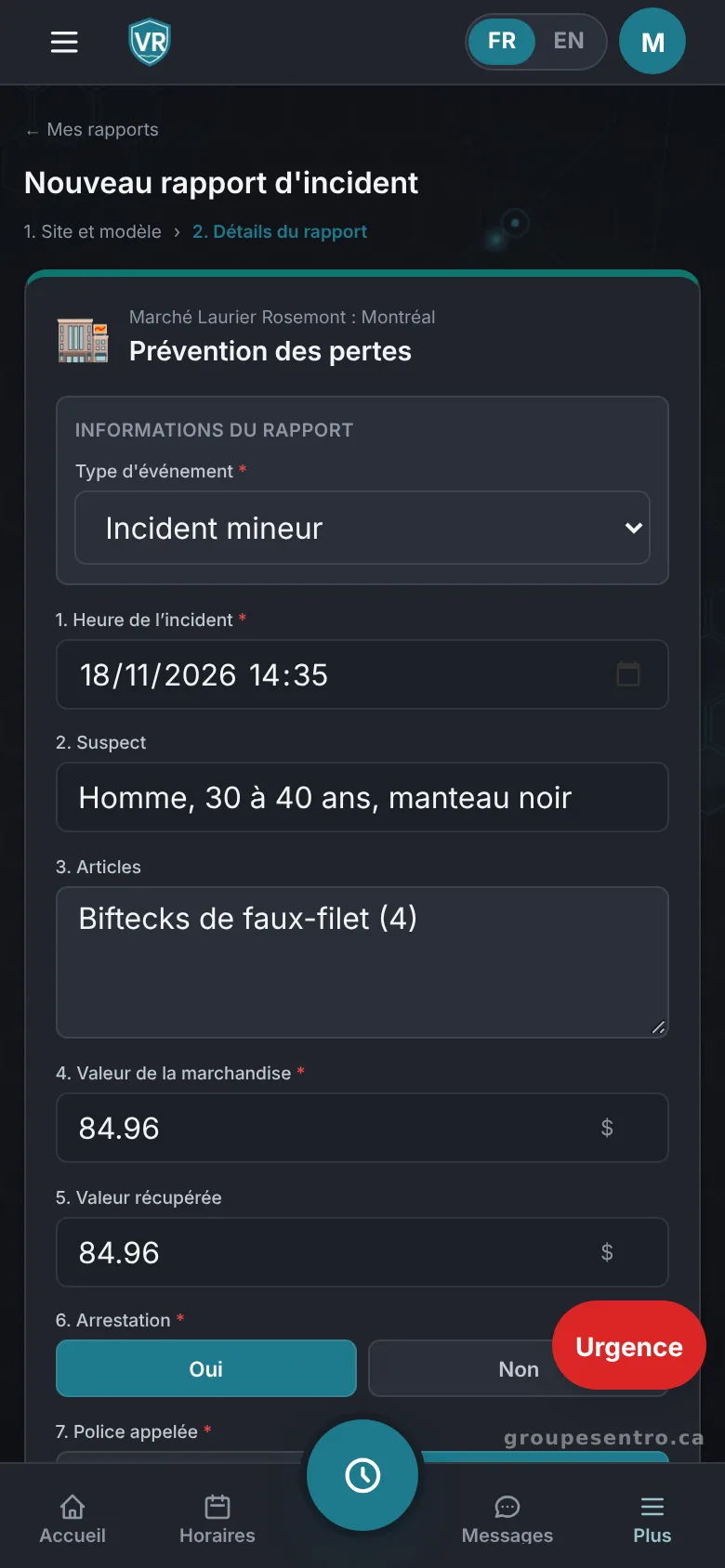
The template is ready: incident time, items, dollar values, arrest, police called, trespass notice and juvenile suspect. The incident time dates the report, even when it is written later.
The ready-made template, with the incident time and dollar values.
The numbers add up on their own
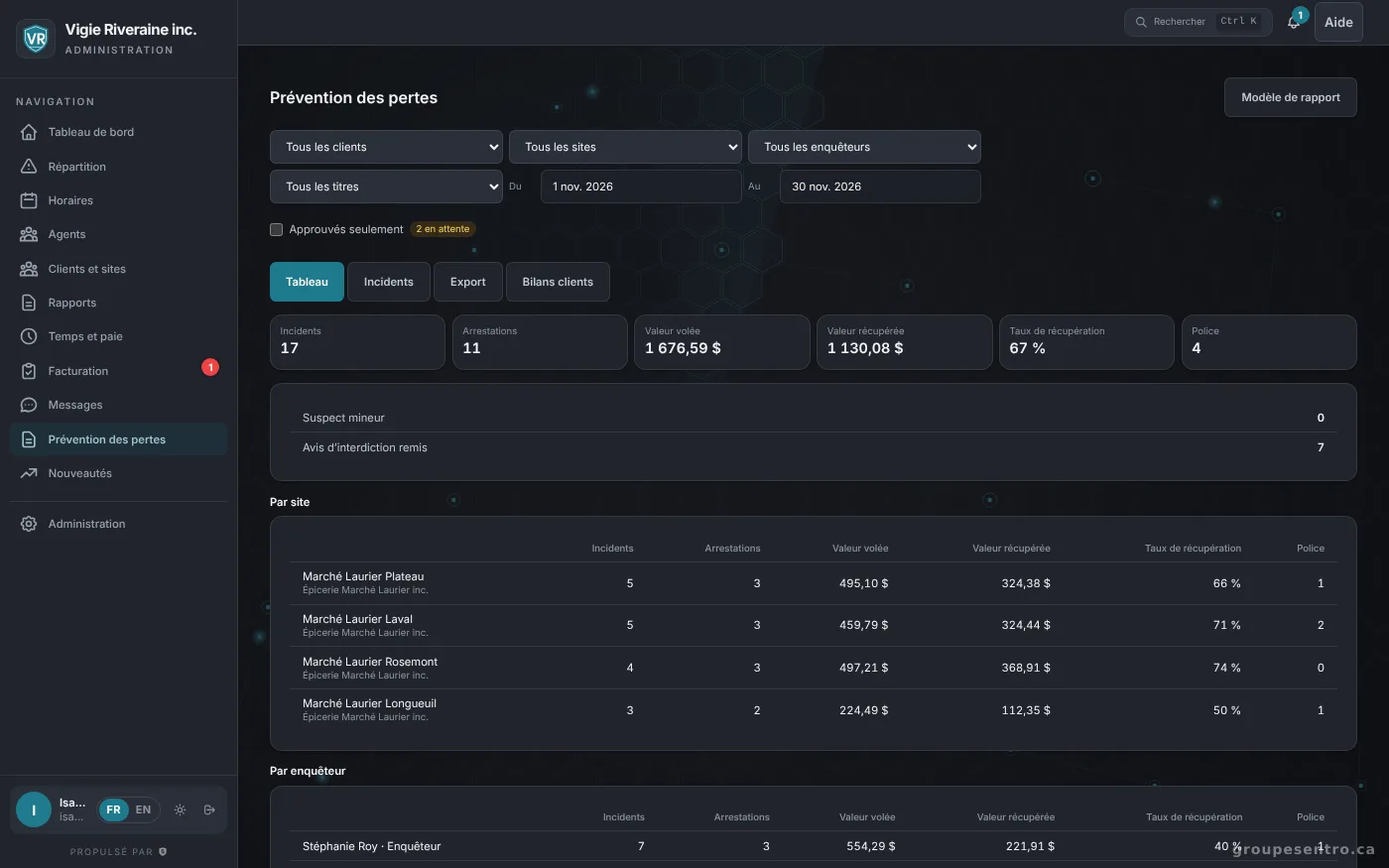
Arrests, stolen and recovered value, recovery rate, police calls, trespass notices and juvenile suspects, by store and by investigator. You export them to Excel or CSV.
Approved, then in the client portal
The client only sees the reports you approved. In their portal, they follow the month’s numbers, store by store.
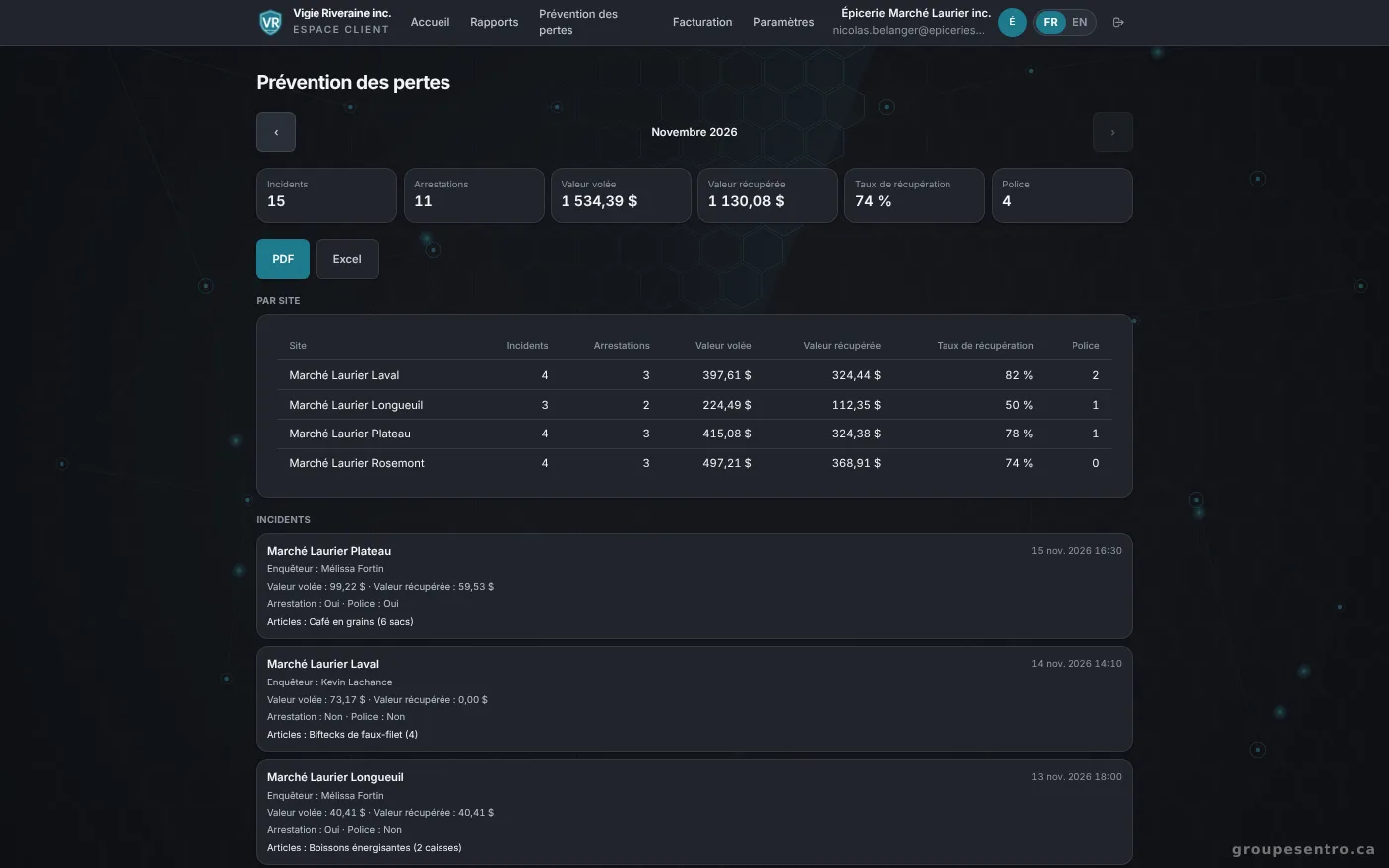
The month’s numbers in the client portal.
A summary every morning, a report every week and month
Every morning, the client gets the previous day’s summary. The weekly and monthly reports arrive as PDF and Excel, in your name.
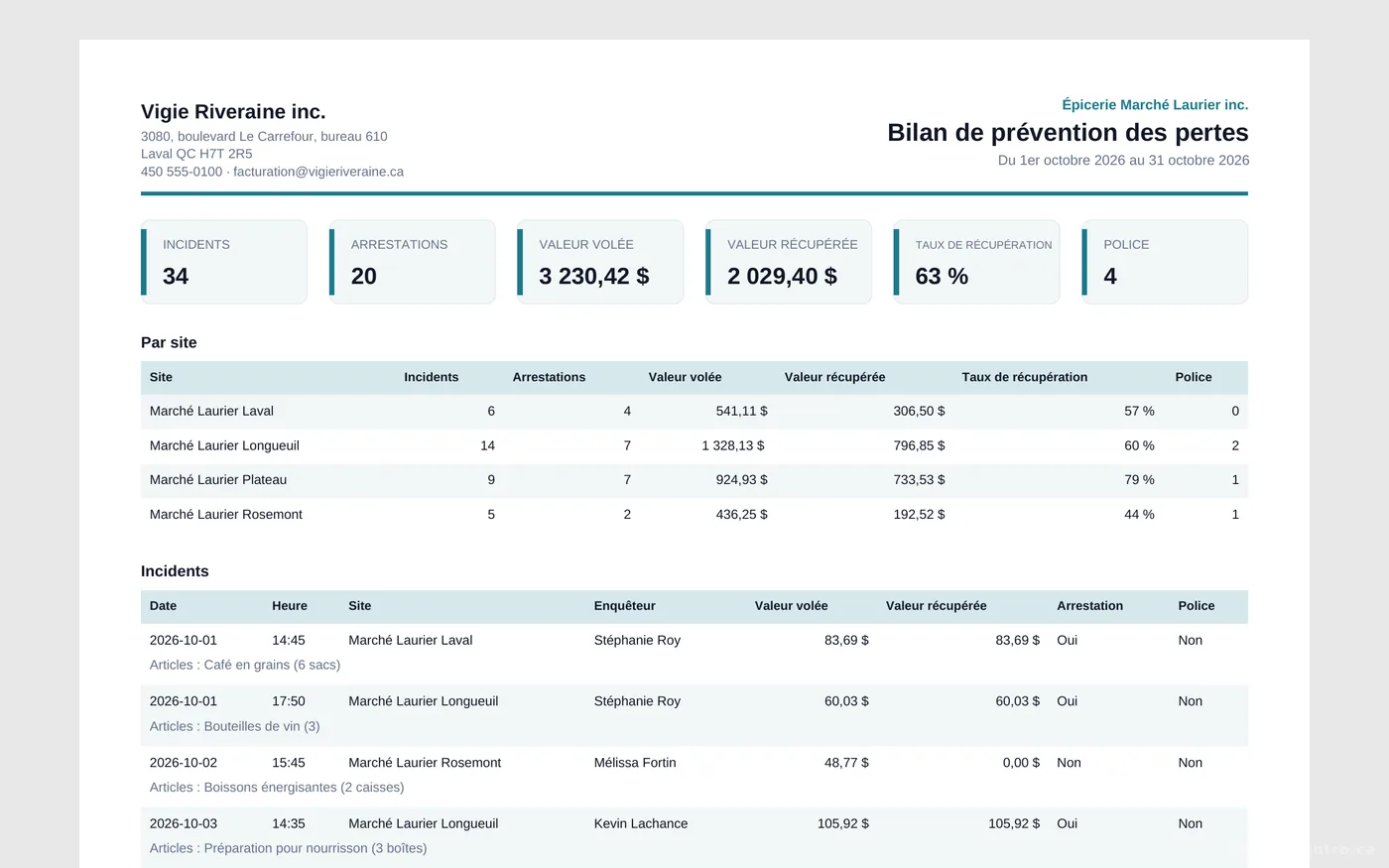
The monthly report as a PDF, in your name.
Try Sentro with your team
20 days free, with 24/7 support during the trial. We reply within 24 hours.