
Security guard scheduling software for Florida agencies
Build the week, publish it and fill open shifts, with the overtime warning before you assign and the licenses checked.
14-day free trial, with 24/7 support.
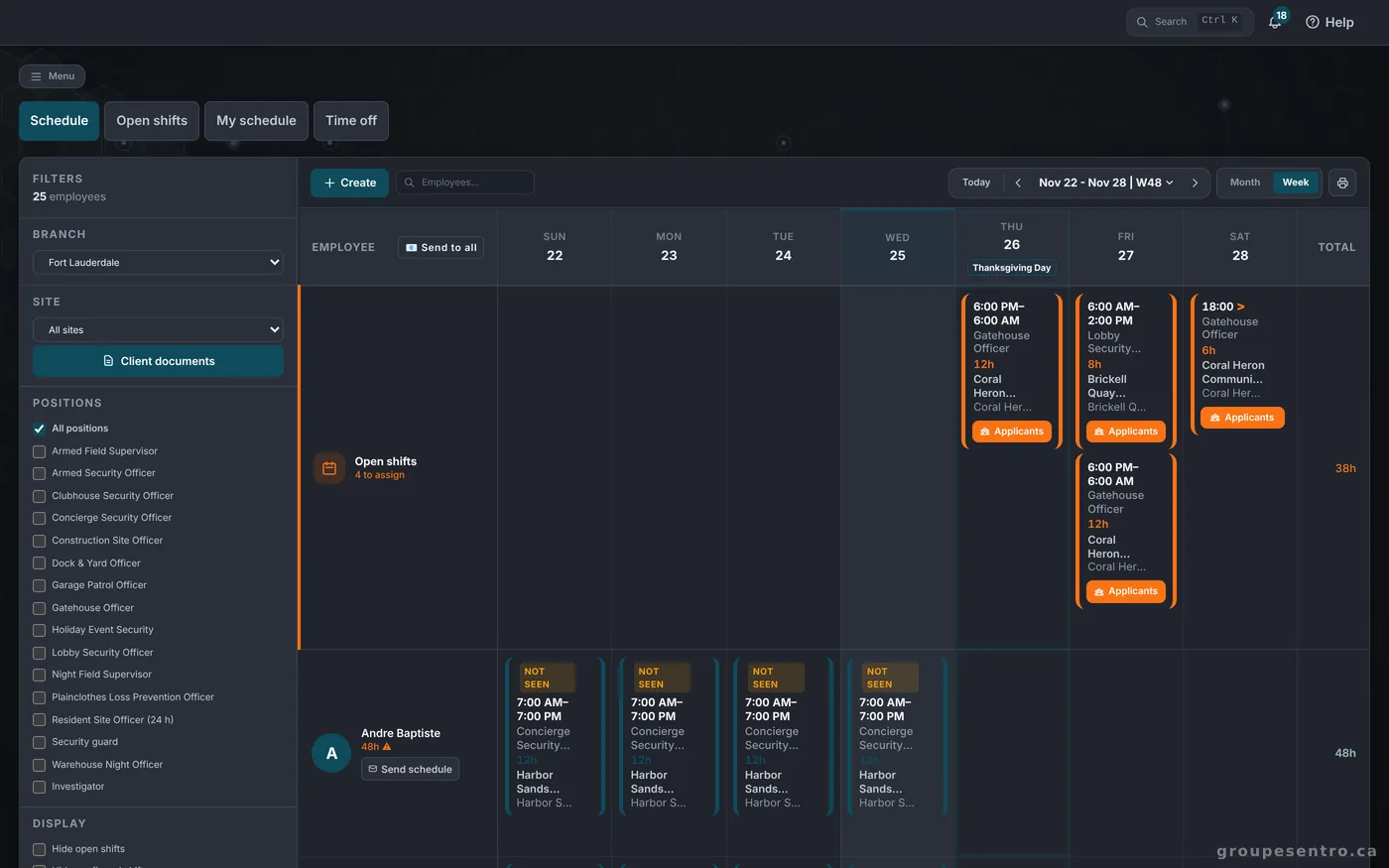
Build and publish the week
You build the week one row per guard and publish it. Each guard gets the schedule by email and confirms it, and sees their shifts on their phone.
Open shifts filled by the team
When a shift has no guard, it goes out to the team, and you choose among the volunteers, ranked by seniority and distance from the site.
Overtime before you assign
The warning for overtime after 40 hours in the workweek appears before the shift is assigned.
Only licensed guards
Class D, G and MB licenses are checked automatically in the FDACS public registry. An expired or suspended license keeps the guard off the schedule and the time clock.
Questions about scheduling
Can a guard with an expired license be scheduled?
No. From the day a license expires, or as soon as the registry shows it suspended, the guard cannot be scheduled or punch in, and no one can override it.
Can guards use the portal in Spanish?
Yes. Each user chooses English or Spanish: guards, supervisors, the office and your clients.
Try Sentro with your team
14-day free trial, with 24/7 support. We reply within 24 hours.