
Visitor log software for security guards in Québec
Guards log every visitor on their phone during their shift. A banned person triggers an alert, and the client finds the log of their sites in their portal.
14-day free trial, with 24/7 support.
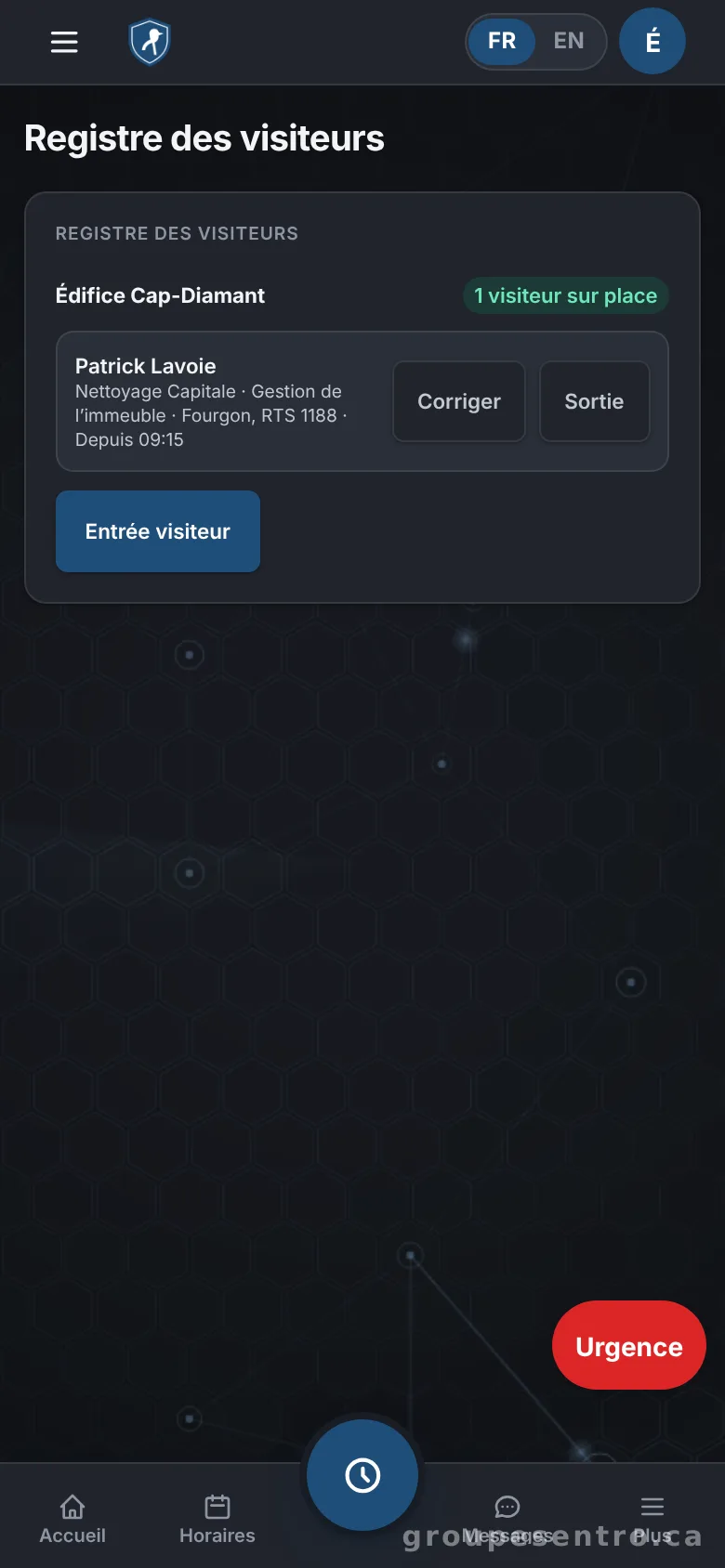
The front desk log, on the phone
During their shift, punched in on the site, the guard logs each entry: name, company, purpose, person visited, vehicle or plate, and a photo. The exit takes one button, with the time. The post computer works too.
The name read from the licence
The guard can scan the licence barcode and the name fills in by itself. The date of birth is compared with the banned persons, then discarded.
Banned persons
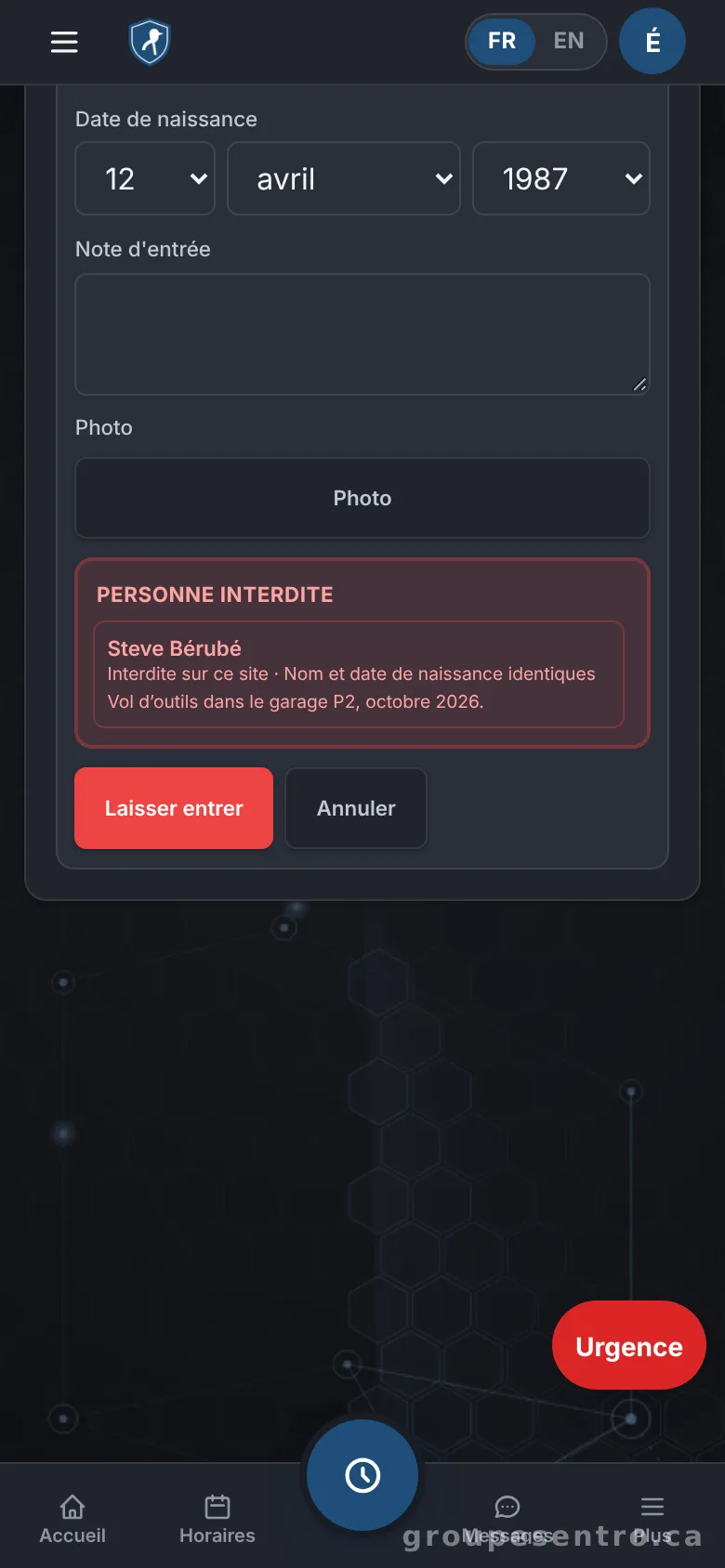
The office keeps a list of banned persons for each site, with the reason and, if needed, a photo. When a visitor matches, the alert appears: red for the same name and date of birth, orange for the same name. The alert blocks nothing: the guard decides, and the log keeps who was let in despite the alert.
Who is still on site
The guard sees the visitors still on site. Those who have not left stay on screen for the guard on the next shift.
The log of all your sites
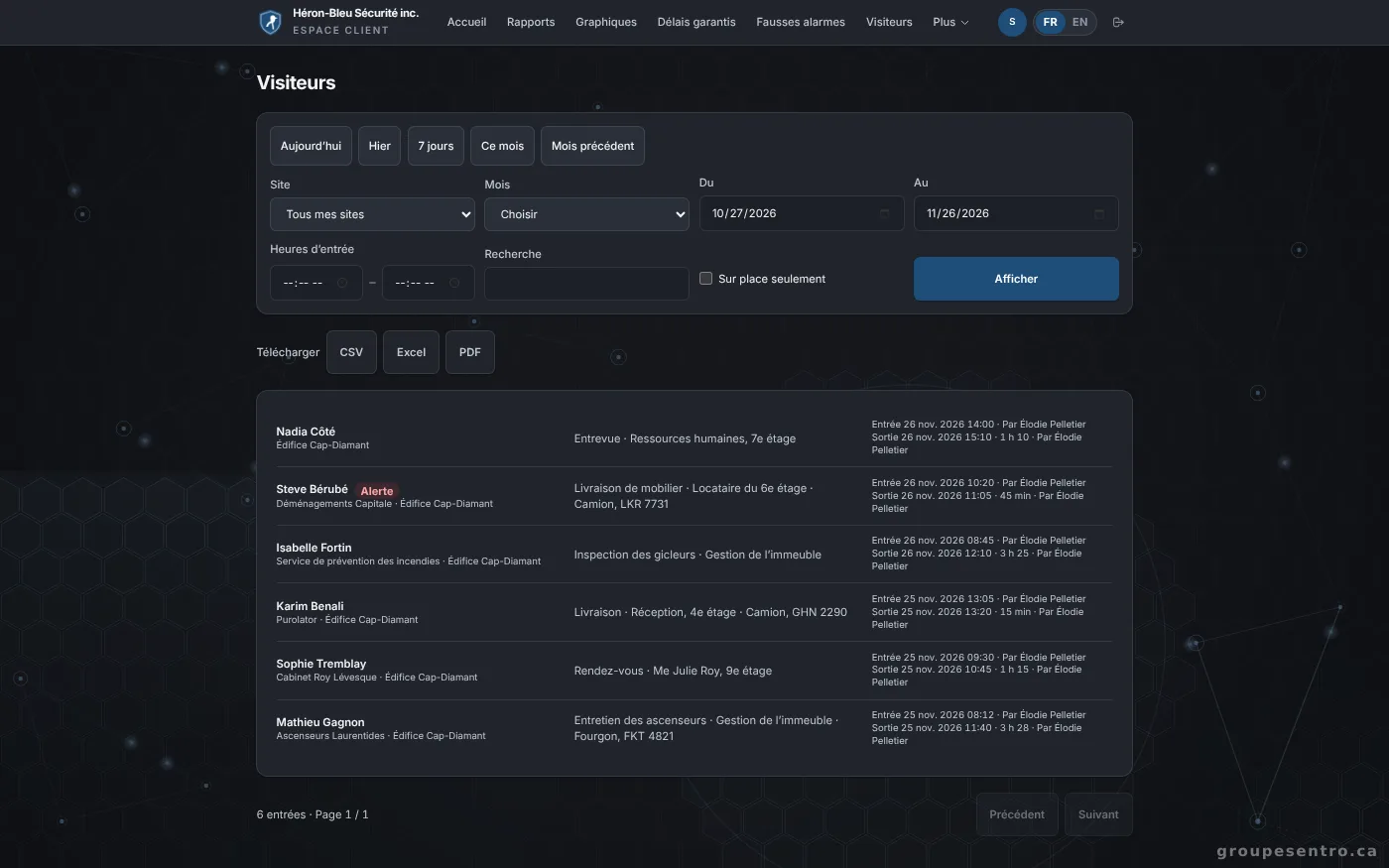
The office and supervisors see the log of their sites, filter it by date, time or name, and download it to CSV, Excel or PDF.
The log in the client’s portal
The client sees the log of their sites in their portal and downloads it to CSV, Excel or PDF. A box on their file turns it off.
One software instead of two or three
The visitor log is in the same portal as scheduling, the time clock, guard tours, reports, dispatch, payroll and invoicing. The price counts only the employees who worked that month.
Questions about the visitor log
Does the alert stop the visitor from entering?
No. The alert warns the guard, who decides. If the guard lets the person in, the log keeps it.
Which device does the guard use?
A phone or the post computer, during their shift, punched in on the site.
Can clients see the log?
Yes, the log of their sites, unless you uncheck the box on their file. They download it to CSV, Excel or PDF.
How long are entries kept?
At least five years after the entry.
Do guards need to install an app?
No. The portal works in the browser. On iPhone and Android, it can be added to the home screen like an app, without an app store.
Is the visitor log a separate paid module?
No. Every module is included, at the same price: $12 per employee who worked that month, $100 minimum, plus taxes. Billed monthly, with no commitment.
Try Sentro with your team
14 days free, with 24/7 support during the trial. We reply within 24 hours.